AI Advertising Assistant

Debuggr.net

Debuggr.net: The free AI debugger that finds and fixes code bugs effortlessly. Harness AI to analyze and resolve errors in your code with ease.

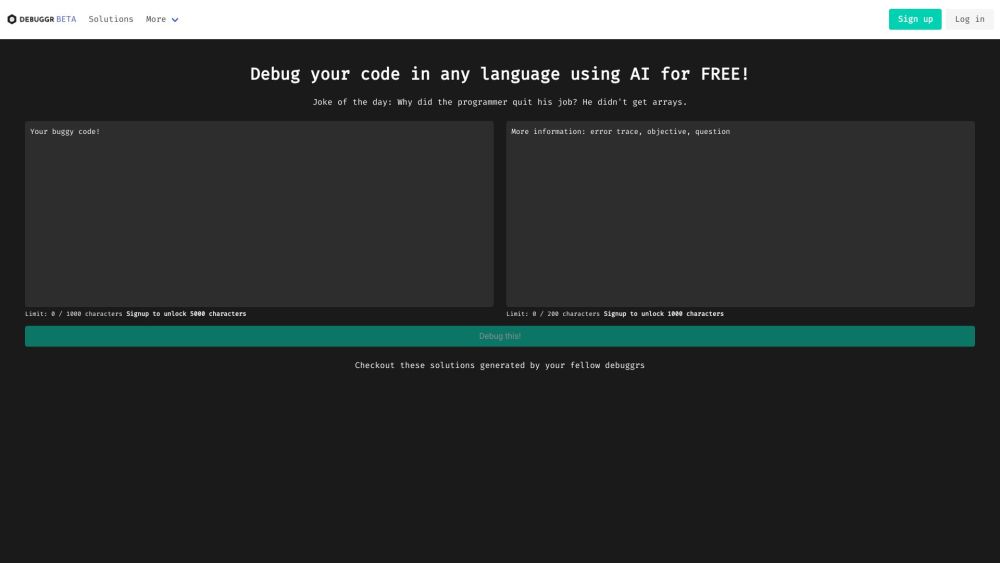
Debuggr.net website preview

Debuggr.net Website screenshot

What is Debuggr.net?

Debuggr.net is a complimentary AI-powered debugging tool designed to help you detect and fix bugs in your code effortlessly. By leveraging advanced artificial intelligence, Debuggr.net analyzes your code and suggests solutions to address any errors or issues.

How to use Debuggr.net?

Using Debuggr.net is simple: just sign up or log in to your account. You can then upload your code in any programming language. The AI debugger will examine your code, generate potential solutions, and recommend fixes for any bugs or errors found.

Debuggr.net's Core Features

AI-driven debugging for code

Multi-language code support

Solutions sourced from a community of debuggers

Daily humor to lighten your day

API documentation for seamless integration

Progress tracking statistics

Dedicated contact section for feedback and issues

Debuggr.net's Use Cases

Identifying and resolving software application bugs

Correcting coding errors and issues

Enhancing code quality and performance

Learning through community-generated solutions

Product source: Debuggr.net official website. Check the provider for current plans, limits and availability.

FAQ

Debuggr.net questions and answers

Product context and practical checks for evaluating Debuggr.net.

What is Debuggr.net used for?

Debuggr.net: The free AI debugger that finds and fixes code bugs effortlessly. Harness AI to analyze and resolve errors in your code with ease.

How do I get started with Debuggr.net?

Using Debuggr.net is simple: just sign up or log in to your account. You can then upload your code in any programming language. The AI debugger will examine your code, generate potential solutions, and recommend fixes for any bugs or errors found.

Which capabilities are described for Debuggr.net?

AI-driven debugging for codeMulti-language code supportSolutions sourced from a community of debuggersDaily humor to lighten your dayAPI documentation for seamless integrationProgress tracking statisticsDedicated contact section for feedback and issues

What projects can I evaluate Debuggr.net for?

Identifying and resolving software application bugsCorrecting coding errors and issuesEnhancing code quality and performanceLearning through community-generated solutions

What should I compare before choosing a Debuggr.net plan?

Check Debuggr.net’s current pricing page for included usage, renewal terms and any credit charges. Compare the cost of a usable result, including retries, rather than assuming that account registration includes free usage.

What inputs should I prepare for a Debuggr.net trial?

Compare repository access, context limits, supported languages and tool permissions. Check whether the assistant can read relevant files and run your existing checks.

How can I check the quality of a Debuggr.net result?

Review the diff, run tests and inspect error handling and dependency changes. Generated code should meet the same review standard as a human contribution.

Which export options should I check in Debuggr.net?

Prefer changes you can inspect and keep in version control. Check whether code, tests and configuration can be exported without depending on a hosted preview.

What is a practical way to test Debuggr.net against alternatives?

Choose a small reproducible bug with an existing failing check. Measure whether the tool fixes the cause, preserves behavior and produces a reviewable change.

Where is the official Debuggr.net website?

The website linked from this profile is https://www.promptdodo.com. Use the provider’s own documentation, account area and support channels to confirm current product details.

Visit Debuggr.net