AI Photo &amp Image Generator

Cre8tiveAI

cre8tiveAI is an AI-based SaaS platform that offers a variety of photo and illustration editing tools. It utilizes AI technology, specifically Deep Learning, to provide fast and efficient solutions for tasks such as automatic painting, resolution enhancement, clipping, layering, and color correction.

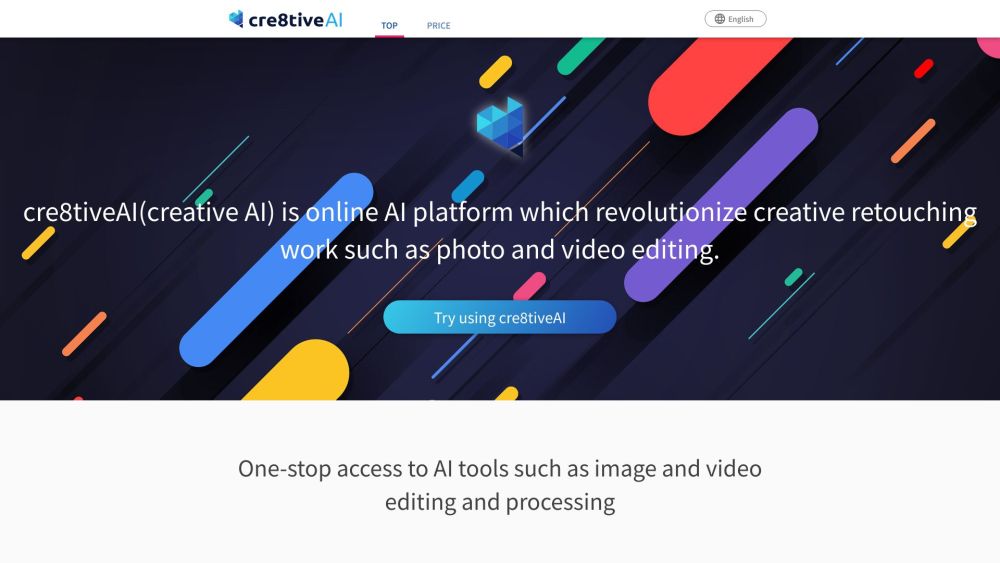
Cre8tiveAI website preview

cre8tiveAI Website screenshot

What is cre8tiveAI?

cre8tiveAI is an innovative AI-driven SaaS platform that provides a comprehensive suite of photo and illustration editing tools. Leveraging advanced Deep Learning algorithms, it offers swift and effective solutions for tasks such as automatic painting, resolution enhancement, clipping, layering, and color correction.

How to use cre8tiveAI?

Using cre8tiveAI is straightforward. Create an account or log in to your existing one. Once logged in, choose the AI tool you need from the available options. Upload your photo or illustration, and within seconds, the AI processes your image. You can then download the edited file or continue using other tools for further edits.

cre8tiveAI's Core Features

Photo Refiner: Enhances the resolution of pictures and illustrations, with the capability to upscale images up to 16 times.

Face Refiner: Focuses on improving facial details by reducing blurriness and noise, and increasing overall resolution.

SAI: Quickly generates over 1,000,000 unique face illustrations/icons for characters.

Portrait Drawer: Identifies faces in photos and creates 8 types of portraits, including monochrome, color, and cartoon styles.

Moving Photo Maker: Transforms photos into 3D videos with various camera effects like zooming and dolly movements.

Line Drawer: Converts a single image into 9 types of line drawings suitable for manga and anime backgrounds.

AnimeSR: A free Chrome extension that enhances animated videos in real-time on platforms like YouTube.

Enpainter: Converts photos into art styles inspired by famous artists like Van Gogh, Monet, and Gauguin.

Anime Art Painter: Creates watercolor and other background styles from a single photo for animation use.

PNG Smallify: Reduces PNG file sizes by minimizing colors without sacrificing visual quality.

Mono Painter: Uses AI to colorize monochrome photos.

cre8tiveAI's Use Cases

Professional photo and illustration editing

Enhancing face quality in portraits

Quick generation of face illustrations for characters

Creating diverse portrait styles

Turning photos into dynamic videos with camera effects

Producing line drawings for manga and anime backgrounds

Real-time enhancement of animated videos

Transforming photos into artwork in the style of renowned artists

Creating various backgrounds for animation

Reducing PNG file sizes without visual quality loss

Colorizing monochrome photos

  • cre8tiveAI Company

    cre8tiveAI is developed by RADIUS5 Inc.

    For more information about cre8tiveAI, visit the company's website.

  • cre8tiveAI Pricing

    Details on pricing can be found on the cre8tiveAI pricing page.

  • cre8tiveAI Facebook

    Follow cre8tiveAI on Facebook for updates.

Product source: Cre8tiveAI official website. Check the provider for current plans, limits and availability.

FAQ

Cre8tiveAI questions and answers

Product context and practical checks for evaluating Cre8tiveAI.

What is Cre8tiveAI used for?

cre8tiveAI is an AI-based SaaS platform that offers a variety of photo and illustration editing tools. It utilizes AI technology, specifically Deep Learning, to provide fast and efficient solutions for tasks such as automatic painting, resolution enhancement, clipping, layering, and color correction.

How do I get started with Cre8tiveAI?

Using cre8tiveAI is straightforward. Create an account or log in to your existing one. Once logged in, choose the AI tool you need from the available options. Upload your photo or illustration, and within seconds, the AI processes your image. You can then download the edited file or continue using other tools for further edits.

Which capabilities are described for Cre8tiveAI?

Photo Refiner: Enhances the resolution of pictures and illustrations, with the capability to upscale images up to 16 times.Face Refiner: Focuses on improving facial details by reducing blurriness and noise, and increasing overall resolution.SAI: Quickly generates over 1,000,000 unique face illustrations/icons for characters.Portrait Drawer: Identifies faces in photos and creates 8 types of portraits, including monochrome, color, and cartoon styles.Moving Photo Maker: Transforms photos into 3D videos with various camera effects like zooming and dolly movements.Line Drawer: Converts a single image into 9 types of line drawings suitable for manga and anime backgrounds.AnimeSR: A free Chrome extension that enhances animated videos in real-time on platforms like YouTube.Enpainter: Converts photos into art styles inspired by famous artists like Van Gogh, Monet, and Gauguin.Anime Art Painter: Creates watercolor and other background styles from a single photo for animation use.PNG Smallify: Reduces PNG file sizes by minimizing colors without sacrificing visual quality.Mono Painter: Uses AI to colorize monochrome photos.

What projects can I evaluate Cre8tiveAI for?

Professional photo and illustration editingEnhancing face quality in portraitsQuick generation of face illustrations for charactersCreating diverse portrait stylesTurning photos into dynamic videos with camera effectsProducing line drawings for manga and anime backgroundsReal-time enhancement of animated videosTransforming photos into artwork in the style of renowned artistsCreating various backgrounds for animationReducing PNG file sizes without visual quality lossColorizing monochrome photos cre8tiveAI Company cre8tiveAI is developed by RADIUS5 Inc. For more information about cre8tiveAI, visit the company's website. cre8tiveAI Pricing Details on pricing can be found on the cre8tiveAI pricing page. cre8tiveAI Facebook Follow cre8tiveAI on Facebook for updates.

What should I compare before choosing a Cre8tiveAI plan?

Details on pricing can be found on the cre8tiveAI pricing page. Confirm current prices and allowances on the provider’s website before purchasing.

What inputs should I prepare for a Cre8tiveAI trial?

Look for text prompts, image references, masks or sketches as appropriate. Compare composition control, supported upload types and the ability to revise a selected area.

How can I check the quality of a Cre8tiveAI result?

Inspect text, hands, edges, reflections and repeated objects at full size. Check that important product or brand details survive editing.

Which export options should I check in Cre8tiveAI?

Compare pixel dimensions, transparency, file formats and any enlargement options. Confirm that the downloaded result works in your design or publishing software.

What is a practical way to test Cre8tiveAI against alternatives?

Prepare a brief with a subject, composition, lighting and required output size. Test a first generation and a targeted revision to see how much control you retain.

Where is the official Cre8tiveAI website?

The website linked from this profile is https://cre8tiveai.com. Use the provider’s own documentation, account area and support channels to confirm current product details.

Visit Cre8tiveAI