AI Advertising Assistant

Colors AI

Automatically collect all your customer feedback from different sources and evaluate customer needs across various cohorts and categories. Simply turn product features to revenue.

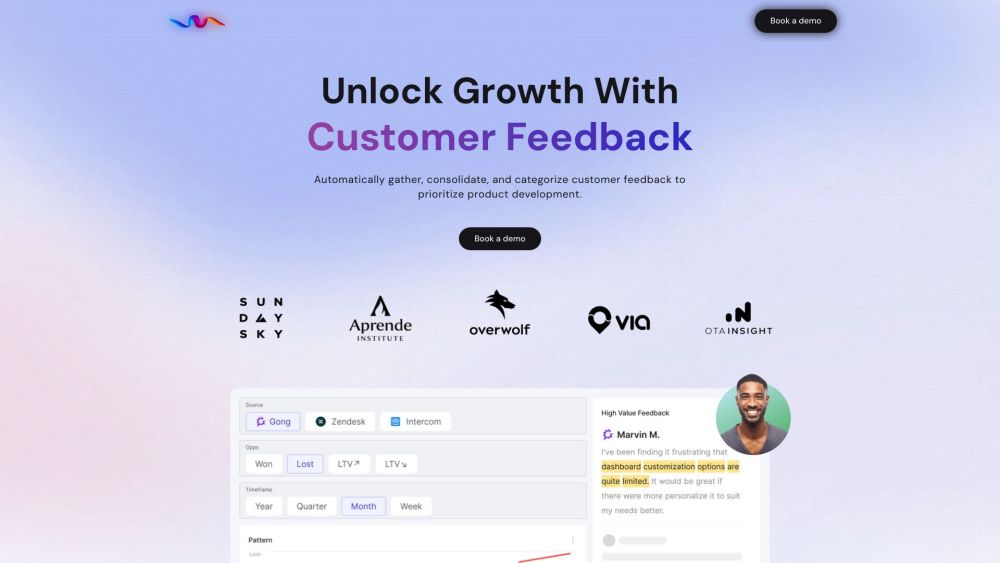
Colors AI website preview

Colors AI Website screenshot

What is Colors AI?

Colors AI is an advanced platform designed to streamline the collection and analysis of customer feedback from multiple sources. It enables businesses to assess customer needs by grouping feedback into relevant categories and cohorts. This helps in aligning product features with customer demands to boost revenue.

How to use Colors AI?

Using Colors AI is simple: gather feedback from various customer touchpoints, categorize it effectively, and analyze it to understand customer priorities. With this insight, companies can refine product features to better align with customer expectations and increase their bottom line.

Colors AI's Core Features

Automatically gather and organize customer feedback for product prioritization.

Transform customer interactions into actionable financial reports.

Categorize feedback to focus on the most impactful product decisions.

Identify key customer segments and evaluate their impact on business goals.

Filter out non-essential feedback to concentrate on what truly matters.

Reveal hidden insights and capitalize on new business opportunities.

Analyze customer interactions for patterns and emerging trends.

Develop features that drive customer engagement and retention.

Uncover real customer pain points, minimizing personal bias in feedback analysis.

Ensure all stakeholders are up-to-date with relevant feedback insights.

Utilize ready-to-use templates and best practices to streamline processes.

Convert unstructured feedback into clear, actionable insights.

Perform trend analysis by consolidating feedback from various sources.

Gain full visibility into how customer feedback impacts revenue.

Integrate easily with customer-facing tools for real-time feedback analysis.

Leverage insights from customer service, support teams, and sales calls.

Seamlessly integrate email conversations into the feedback loop.

Track the financial impact of feedback from specific customer cohorts.

Upload CSV data for in-depth feedback analysis.

Automate the tagging of customer feature requests to save time.

Colors AI's Use Cases

Prioritize your product roadmap based on customer needs.

Gain deep insights into what customers want and how to meet those needs.

Focus on activities that drive revenue growth.

Measure the potential business impact of different product features.

Increase customer retention by responding to their feedback.

Identify and act on emerging trends in customer feedback in real time.

Use data-driven insights to boost revenue through smarter decision-making.

  • Colors AI Support Email & Customer Service Contact & Refund Information

    For more information, visit our contact page.

  • Colors AI Company

    Company Name: Colors AI

  • Colors AI Pricing

    To view our pricing options, visit our pricing page.

  • Colors AI LinkedIn

    Connect with us on LinkedIn: Colors AI LinkedIn.

Product source: Colors AI official website. Check the provider for current plans, limits and availability.

FAQ

Colors AI questions and answers

Product context and practical checks for evaluating Colors AI.

What is Colors AI used for?

Automatically collect all your customer feedback from different sources and evaluate customer needs across various cohorts and categories. Simply turn product features to revenue.

How do I get started with Colors AI?

Using Colors AI is simple: gather feedback from various customer touchpoints, categorize it effectively, and analyze it to understand customer priorities. With this insight, companies can refine product features to better align with customer expectations and increase their bottom line.

Which capabilities are described for Colors AI?

Automatically gather and organize customer feedback for product prioritization.Transform customer interactions into actionable financial reports.Categorize feedback to focus on the most impactful product decisions.Identify key customer segments and evaluate their impact on business goals.Filter out non-essential feedback to concentrate on what truly matters.Reveal hidden insights and capitalize on new business opportunities.Analyze customer interactions for patterns and emerging trends.Develop features that drive customer engagement and retention.Uncover real customer pain points, minimizing personal bias in feedback analysis.Ensure all stakeholders are up-to-date with relevant feedback insights.Utilize ready-to-use templates and best practices to streamline processes.Convert unstructured feedback into clear, actionable insights.Perform trend analysis by consolidating feedback from various sources.Gain full visibility into how customer feedback impacts revenue.Integrate easily with customer-facing tools for real-time feedback analysis.Leverage insights from customer service, support teams, and sales calls.Seamlessly integrate email conversations into the feedback loop.Track the financial impact of feedback from specific customer cohorts.Upload CSV data for in-depth feedback analysis.Automate the tagging of customer feature requests to save time.

What projects can I evaluate Colors AI for?

Prioritize your product roadmap based on customer needs.Gain deep insights into what customers want and how to meet those needs.Focus on activities that drive revenue growth.Measure the potential business impact of different product features.Increase customer retention by responding to their feedback.Identify and act on emerging trends in customer feedback in real time.Use data-driven insights to boost revenue through smarter decision-making. Colors AI Support Email & Customer Service Contact & Refund Information For more information, visit our contact page. Colors AI Company Company Name: Colors AI Colors AI Pricing To view our pricing options, visit our pricing page. Colors AI LinkedIn Connect with us on LinkedIn: Colors AI LinkedIn.

What should I compare before choosing a Colors AI plan?

To view our pricing options, visit our pricing page. Confirm current prices and allowances on the provider’s website before purchasing.

What inputs should I prepare for a Colors AI trial?

Identify the files, text or account connections your task needs. Confirm that the product accepts those inputs and offers controls for reviewing its work.

How can I check the quality of a Colors AI result?

Test one representative task and inspect the result for accuracy and completeness. Record where manual corrections or extra tools are needed.

Which export options should I check in Colors AI?

Check export formats, integrations and whether you can keep using your work outside the service. Test a real export before committing to a longer plan.

What is a practical way to test Colors AI against alternatives?

Choose one task with a clear success condition. Keep the input consistent, record the time spent reviewing and compare the complete workflow cost.

Where is the official Colors AI website?

The website linked from this profile is https://www.colors-ai.com. Use the provider’s own documentation, account area and support channels to confirm current product details.

Visit Colors AI