AI Product Description Generator

ClientZen

ClientZen: AI Tool for Analyzing Customer Feedback & Insights. Uncover pain points, tag feedback, and gain actionable insights from multiple sources effortlessly.

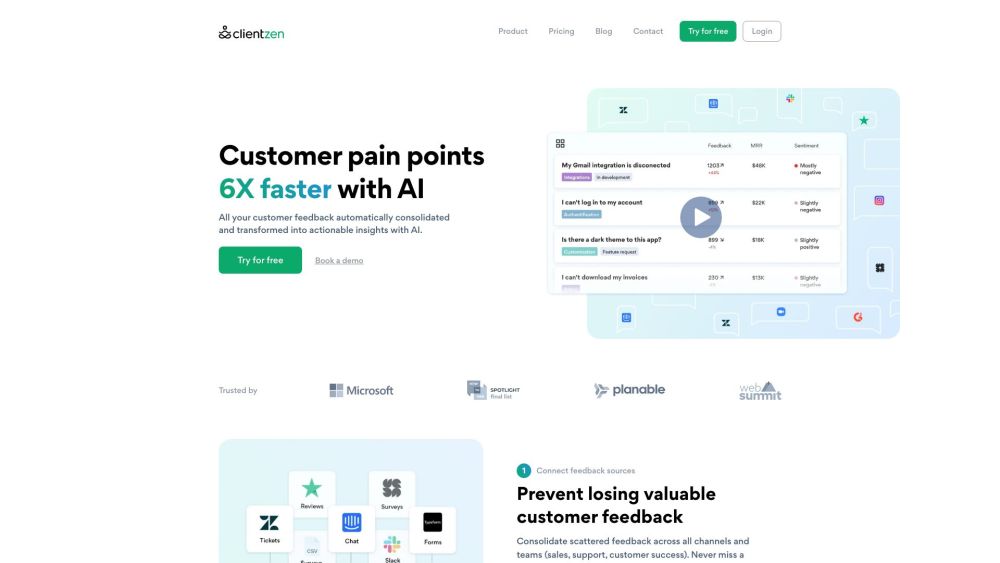
ClientZen website preview

ClientZen Website screenshot

What is ClientZen?

ClientZen is an innovative AI-driven tool designed to assist businesses in identifying customer pain points by systematically analyzing and tagging feedback. It integrates feedback from multiple sources, converting it into actionable insights to help companies improve their services and products.

How to use ClientZen?

To utilize ClientZen, follow these straightforward steps: 1. Connect feedback sources: Gather feedback from various channels and departments, including sales, support, and customer success teams. 2. Obtain automated insights: Leverage ClientZen's AI to analyze and tag feedback, delivering pertinent insights in real-time. 3. Prioritize by impact: Assess the customer impact of your product releases and track the evolution of issues with each update.

ClientZen's Core Features

Automated feedback tagging and sentiment analysis

Integration of feedback from multiple channels

AI-generated insights

Customer impact measurement

Customizable topic tracking and reporting

ClientZen's Use Cases

Enhance feedback processing

Gain in-depth understanding of customer needs

Spot emerging trends and pain points

Monitor and prioritize feature requests

Assess the impact of product releases

Product source: ClientZen official website. Check the provider for current plans, limits and availability.

FAQ

ClientZen questions and answers

Product context and practical checks for evaluating ClientZen.

What is ClientZen used for?

ClientZen: AI Tool for Analyzing Customer Feedback & Insights. Uncover pain points, tag feedback, and gain actionable insights from multiple sources effortlessly.

How do I get started with ClientZen?

To utilize ClientZen, follow these straightforward steps: 1. Connect feedback sources: Gather feedback from various channels and departments, including sales, support, and customer success teams. 2. Obtain automated insights: Leverage ClientZen's AI to analyze and tag feedback, delivering pertinent insights in real-time. 3. Prioritize by impact: Assess the customer impact of your product releases and track the evolution of issues with each update.

Which capabilities are described for ClientZen?

Automated feedback tagging and sentiment analysisIntegration of feedback from multiple channelsAI-generated insightsCustomer impact measurementCustomizable topic tracking and reporting

What projects can I evaluate ClientZen for?

Enhance feedback processingGain in-depth understanding of customer needsSpot emerging trends and pain pointsMonitor and prioritize feature requestsAssess the impact of product releases ClientZen Support Email & Customer Service Contact For more contact details, visit the contact us page. ClientZen Company Company name: ClientZen ClientZen Login Login here: https://app.clientzen.io/login ClientZen Sign Up Sign up here: https://app.clientzen.io/register ClientZen Pricing View pricing details: https://www.clientzen.io/pricing ClientZen Facebook Follow us on Facebook: https://www.facebook.com/clientzen.io ClientZen YouTube Subscribe to our YouTube channel: https://www.youtube.com/channel/UC6IiZMxsoviPN7KNjuYlfWw/featured ClientZen LinkedIn Connect with us on LinkedIn: https://www.linkedin.com/company/clientzenio ClientZen Twitter Follow us on Twitter: https://twitter.com/clientzenio

What should I compare before choosing a ClientZen plan?

View pricing details: https://www.clientzen.io/pricing Confirm current prices and allowances on the provider’s website before purchasing.

What inputs should I prepare for a ClientZen trial?

Identify the files, text or account connections your task needs. Confirm that the product accepts those inputs and offers controls for reviewing its work.

How can I check the quality of a ClientZen result?

Test one representative task and inspect the result for accuracy and completeness. Record where manual corrections or extra tools are needed.

Which export options should I check in ClientZen?

Check export formats, integrations and whether you can keep using your work outside the service. Test a real export before committing to a longer plan.

What is a practical way to test ClientZen against alternatives?

Choose one task with a clear success condition. Keep the input consistent, record the time spent reviewing and compare the complete workflow cost.

Where is the official ClientZen website?

The website linked from this profile is https://clientzen.io. Use the provider’s own documentation, account area and support channels to confirm current product details.

Visit ClientZen