AI Voice Chat Generator

ChatTrain Chrome Extension

ChatTrain Chrome Extension: Transform your voice into broadcast-ready chat messages. Perfect for seamless, engaging communication with a professional touch!

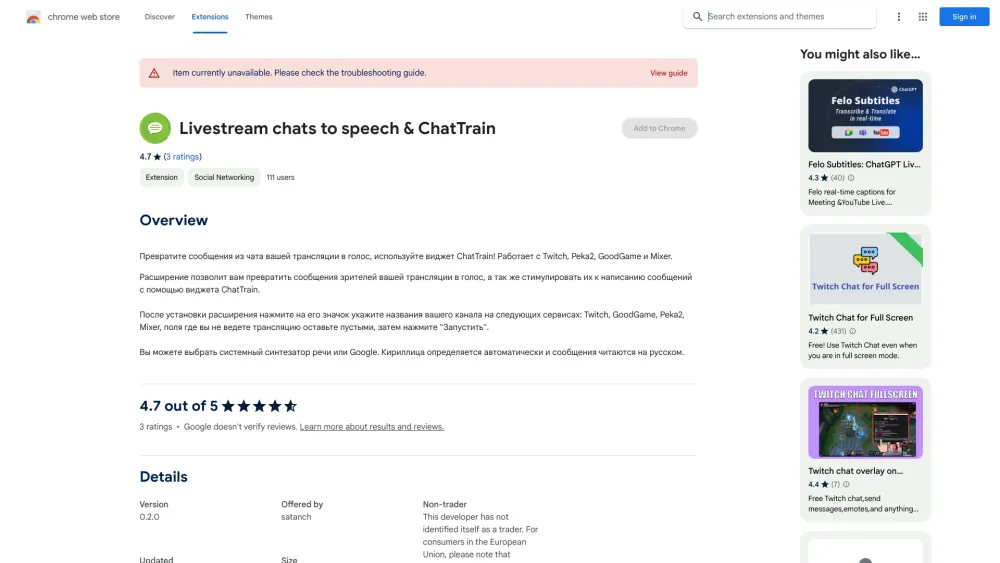
ChatTrain Chrome Extension website preview

ChatTrain - Chrome Extension Website screenshot

What is the ChatTrain Chrome Extension?

The ChatTrain Chrome Extension converts chat messages from live streams into high-quality voice broadcasts. It integrates seamlessly with platforms like Twitch, Peka2, GoodGame, and Mixer, offering a dynamic way to interact with your audience.

How to Use the ChatTrain Chrome Extension?

To get started, simply embed the ChatTrain widget into your streaming service. Once set up, the widget automatically transforms your chat messages into voice broadcasts, delivering them in real-time to enhance communication during live streams.

Key Features of the ChatTrain Chrome Extension

Instant Voice Broadcasting

ChatTrain offers instant voice conversion for chat messages, providing real-time feedback and communication during streams.

Multi-Platform Support

This extension supports various streaming platforms, ensuring broad compatibility with popular services like Twitch, Peka2, GoodGame, and Mixer.

Use Cases for the ChatTrain Chrome Extension

Boost Audience Engagement

By converting text messages into voice, streamers can create a more engaging experience, making it easier for viewers to interact with the stream.

Increased Accessibility

For viewers with visual impairments, voice chat integration significantly enhances accessibility, allowing them to participate in live chats without relying on visual cues.

Product source: ChatTrain Chrome Extension official website. Check the provider for current plans, limits and availability.

FAQ

ChatTrain Chrome Extension questions and answers

Product context and practical checks for evaluating ChatTrain Chrome Extension.

What is ChatTrain Chrome Extension used for?

ChatTrain Chrome Extension: Transform your voice into broadcast-ready chat messages. Perfect for seamless, engaging communication with a professional touch!

How do I get started with ChatTrain Chrome Extension?

To get started, simply embed the ChatTrain widget into your streaming service. Once set up, the widget automatically transforms your chat messages into voice broadcasts, delivering them in real-time to enhance communication during live streams.

Which capabilities are described for ChatTrain Chrome Extension?

Instant Voice Broadcasting ChatTrain offers instant voice conversion for chat messages, providing real-time feedback and communication during streams. Multi-Platform Support This extension supports various streaming platforms, ensuring broad compatibility with popular services like Twitch, Peka2, GoodGame, and Mixer.

What projects can I evaluate ChatTrain Chrome Extension for?

Boost Audience Engagement By converting text messages into voice, streamers can create a more engaging experience, making it easier for viewers to interact with the stream. Increased Accessibility For viewers with visual impairments, voice chat integration significantly enhances accessibility, allowing them to participate in live chats without relying on visual cues.

What should I compare before choosing a ChatTrain Chrome Extension plan?

Check ChatTrain Chrome Extension’s current pricing page for included usage, renewal terms and any credit charges. Compare the cost of a usable result, including retries, rather than assuming that account registration includes free usage.

What inputs should I prepare for a ChatTrain Chrome Extension trial?

Compare recording length, file types, language support and speaker handling. For voice generation, check pronunciation controls and permission to use any reference voice.

How can I check the quality of a ChatTrain Chrome Extension result?

Listen for mispronounced names, unnatural pauses, clipped words and noise. For transcripts, compare the text with the recording and correct speaker labels.

Which export options should I check in ChatTrain Chrome Extension?

Check audio format, sample rate, separate tracks, captions and timestamp exports. Confirm that the result works in your editing or accessibility workflow.

What is a practical way to test ChatTrain Chrome Extension against alternatives?

Use a short recording with names, numbers and more than one speaker, or a script with difficult pronunciation. Review the exported audio or transcript in full.

Where is the official ChatTrain Chrome Extension website?

The website linked from this profile is https://chromewebstore.google.com/detail/livestream-chats-to-speec/fbhoaadbbiigppnljkjgfoofcdinnpap. Use the provider’s own documentation, account area and support channels to confirm current product details.

Visit ChatTrain Chrome Extension