Large Language Models (LLMs)

ChatPDF

Unlock insights instantly with ChatPDF: AI-powered chat for PDFs. Quickly answer questions and effortlessly understand research, journal articles, and more.

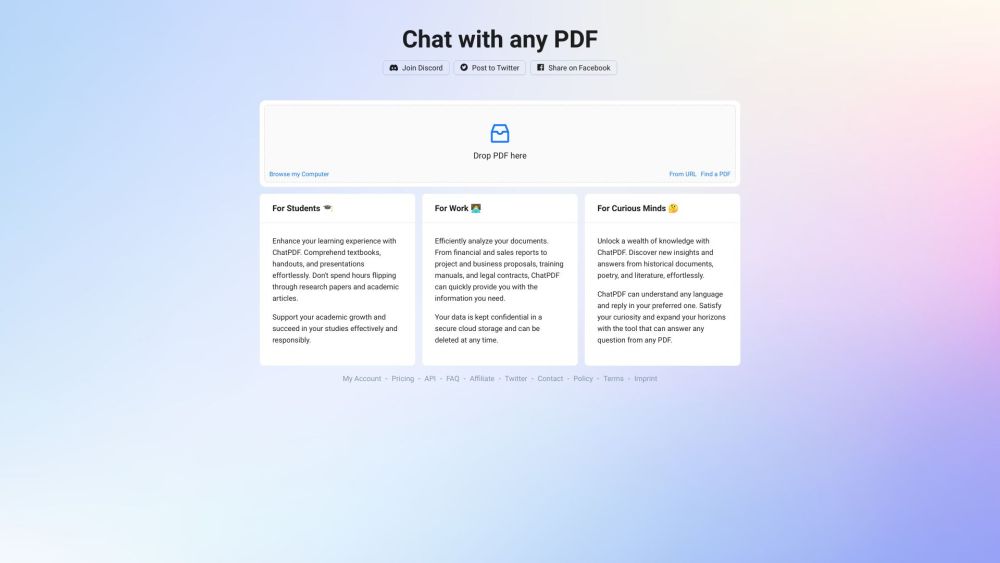
ChatPDF website preview
html

ChatPDF Website screenshot

What is ChatPDF?

ChatPDF is an advanced AI service designed to facilitate interactions with PDF documents. Leveraging cutting-edge AI technology, it answers queries and enhances the comprehension of research material, making it simpler to read and analyze journal articles and other PDF content.

How to use ChatPDF?

Using ChatPDF is straightforward. Users need to upload their desired PDF file to the platform. After the upload, they can start posing questions about the document's content. The AI system will then summarize the text and provide answers, functioning like a virtual assistant for PDF documents.

ChatPDF's Core Features

The core features of ChatPDF include: 1. AI-driven document understanding: Utilizing AI, the system interprets the content of the PDF and delivers precise answers to user questions. 2. Multi-language support: ChatPDF can handle PDFs in any language and respond in multiple languages, making it globally accessible. 3. Referenced answers: Responses generated by ChatPDF include citations from the original PDF, allowing users to easily trace back to the source. 4. User-friendly and secure: The platform is designed to be fast, easy, and secure, with all PDF files stored safely in the cloud and kept private.

ChatPDF's Use Cases

ChatPDF has various use cases: 1. For students: Assists with exam preparation, homework help, and answering multiple-choice questions using PDF resources. 2. For researchers: A valuable tool for quickly extracting pertinent information from scientific papers, academic articles, and books. 3. For professionals: Helps in analyzing legal contracts, financial reports, manuals, and training materials by providing rapid insights through AI-driven chat.

Product source: ChatPDF official website. Check the provider for current plans, limits and availability.

FAQ

ChatPDF questions and answers

Product context and practical checks for evaluating ChatPDF.

What is ChatPDF used for?

Unlock insights instantly with ChatPDF: AI-powered chat for PDFs. Quickly answer questions and effortlessly understand research, journal articles, and more.

How do I get started with ChatPDF?

Using ChatPDF is straightforward. Users need to upload their desired PDF file to the platform. After the upload, they can start posing questions about the document's content. The AI system will then summarize the text and provide answers, functioning like a virtual assistant for PDF documents.

Which capabilities are described for ChatPDF?

The core features of ChatPDF include: 1. AI-driven document understanding: Utilizing AI, the system interprets the content of the PDF and delivers precise answers to user questions. 2. Multi-language support: ChatPDF can handle PDFs in any language and respond in multiple languages, making it globally accessible. 3. Referenced answers: Responses generated by ChatPDF include citations from the original PDF, allowing users to easily trace back to the source. 4. User-friendly and secure: The platform is designed to be fast, easy, and secure, with all PDF files stored safely in the cloud and kept private.

What projects can I evaluate ChatPDF for?

ChatPDF has various use cases: 1. For students: Assists with exam preparation, homework help, and answering multiple-choice questions using PDF resources. 2. For researchers: A valuable tool for quickly extracting pertinent information from scientific papers, academic articles, and books. 3. For professionals: Helps in analyzing legal contracts, financial reports, manuals, and training materials by providing rapid insights through AI-driven chat. ChatPDF Support Email & Customer service contact & Refund contact etc. For customer service, contact ChatPDF support at: [email protected]. For more information, visit the contact us page(mailto:%22ChatPDF%22%[email protected]%3e?subject=ChatPDF) ChatPDF Company Company name: ChatPDF. ChatPDF Linkedin Find ChatPDF on LinkedIn: https://www.linkedin.com/company/chatpdf ChatPDF Twitter Follow ChatPDF on Twitter: https://twitter.com/tairo/status/1641058911112544258

What should I compare before choosing a ChatPDF plan?

Check ChatPDF’s current pricing page for included usage, renewal terms and any credit charges. Compare the cost of a usable result, including retries, rather than assuming that account registration includes free usage.

What inputs should I prepare for a ChatPDF trial?

Look for text prompts, image references, masks or sketches as appropriate. Compare composition control, supported upload types and the ability to revise a selected area.

How can I check the quality of a ChatPDF result?

Inspect text, hands, edges, reflections and repeated objects at full size. Check that important product or brand details survive editing.

Which export options should I check in ChatPDF?

Compare pixel dimensions, transparency, file formats and any enlargement options. Confirm that the downloaded result works in your design or publishing software.

What is a practical way to test ChatPDF against alternatives?

Prepare a brief with a subject, composition, lighting and required output size. Test a first generation and a targeted revision to see how much control you retain.

Where is the official ChatPDF website?

The website linked from this profile is https://www.chatpdf.com. Use the provider’s own documentation, account area and support channels to confirm current product details.

Visit ChatPDF