AI Product Description Generator

Charma

Charma: AI Toolkit for Team Management and Employee Reviews. Streamline meetings, goal setting, and feedback with AI-driven insights for optimal team performance.

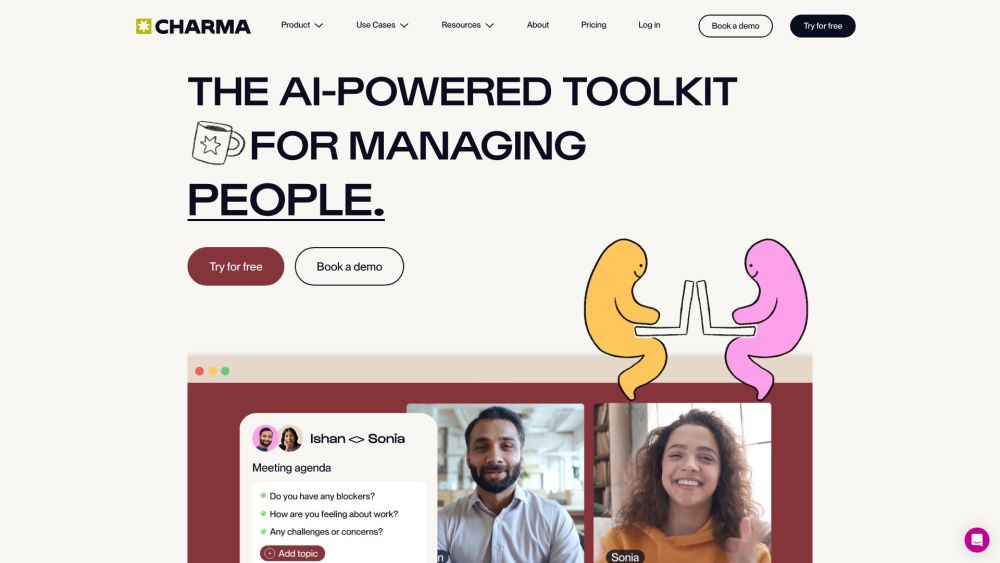
Charma website preview

Charma Website screenshot

What is Charma?

Charma is an AI-driven toolkit designed to optimize the management of people, teams, and meetings. It offers a structured approach to improve one-on-ones and team meetings, streamline goal setting, enhance employee recognition, and facilitate feedback and 360 reviews.

How to use Charma?

Charma features a user-friendly interface, making it easy for managers to leverage its AI-powered capabilities. They can schedule and manage one-on-one meetings, set objectives, deliver feedback, and conduct 360 reviews. Charma also integrates with popular communication platforms like Slack, promoting seamless collaboration and interaction.

Charma's Core Features

One-on-one meeting management

Team meeting management

Goal setting

Employee recognition

Continuous feedback

360 reviews

Charma's Use Cases

{ "title": "Managers", "description": "Charma enables managers to create and maintain aligned, accountable teams. With tools for goal setting, feedback, and 360 reviews, managers can effectively oversee team performance and foster growth." }

{ "title": "Executives", "description": "Charma helps executives enhance organizational efficiency. By minimizing unproductive meetings and improving team retention, executives can concentrate on achieving business objectives and driving success." }

{ "title": "HR teams", "description": "Charma supports HR teams in building a positive work culture and improving employee well-being. Through features like employee recognition and feedback, HR teams can create a nurturing environment and support employee development." }

Product source: Charma official website. Check the provider for current plans, limits and availability.

FAQ

Charma questions and answers

Product context and practical checks for evaluating Charma.

What is Charma used for?

Charma: AI Toolkit for Team Management and Employee Reviews. Streamline meetings, goal setting, and feedback with AI-driven insights for optimal team performance.

How do I get started with Charma?

Charma features a user-friendly interface, making it easy for managers to leverage its AI-powered capabilities. They can schedule and manage one-on-one meetings, set objectives, deliver feedback, and conduct 360 reviews. Charma also integrates with popular communication platforms like Slack, promoting seamless collaboration and interaction.

Which capabilities are described for Charma?

One-on-one meeting managementTeam meeting managementGoal settingEmployee recognitionContinuous feedback360 reviews

What projects can I evaluate Charma for?

{ "title": "Managers", "description": "Charma enables managers to create and maintain aligned, accountable teams. With tools for goal setting, feedback, and 360 reviews, managers can effectively oversee team performance and foster growth." }{ "title": "Executives", "description": "Charma helps executives enhance organizational efficiency. By minimizing unproductive meetings and improving team retention, executives can concentrate on achieving business objectives and driving success." }{ "title": "HR teams", "description": "Charma supports HR teams in building a positive work culture and improving employee well-being. Through features like employee recognition and feedback, HR teams can create a nurturing environment and support employee development." } Charma Support Email & Customer service contact & Refund contact etc. For more details, visit the contact us page(https://www.charma.com/contact) Charma Company Charma is operated by WorkPatterns dba Charma. Learn more about Charma by visiting the about us page(https://www.charma.com/about). Charma Login Access Charma at: https://app.charma.com/user/login Charma Facebook Follow us on Facebook: http://facebook.com/getcharmaCharma Linkedin Connect with us on LinkedIn: https://www.linkedin.com/company/getcharma/Charma Twitter Follow us on Twitter: http://twitter.com/likeacharma

What should I compare before choosing a Charma plan?

Check Charma’s current pricing page for included usage, renewal terms and any credit charges. Compare the cost of a usable result, including retries, rather than assuming that account registration includes free usage.

What inputs should I prepare for a Charma trial?

Identify the files, text or account connections your task needs. Confirm that the product accepts those inputs and offers controls for reviewing its work.

How can I check the quality of a Charma result?

Test one representative task and inspect the result for accuracy and completeness. Record where manual corrections or extra tools are needed.

Which export options should I check in Charma?

Check export formats, integrations and whether you can keep using your work outside the service. Test a real export before committing to a longer plan.

What is a practical way to test Charma against alternatives?

Choose one task with a clear success condition. Keep the input consistent, record the time spent reviewing and compare the complete workflow cost.

Where is the official Charma website?

The website linked from this profile is https://www.charma.com. Use the provider’s own documentation, account area and support channels to confirm current product details.

Visit Charma