Large Language Models (LLMs)

Chaindesk

Chaindesk: Build custom AI chatbots with no code. Enhance support, streamline onboarding, and simplify workflows with ease.

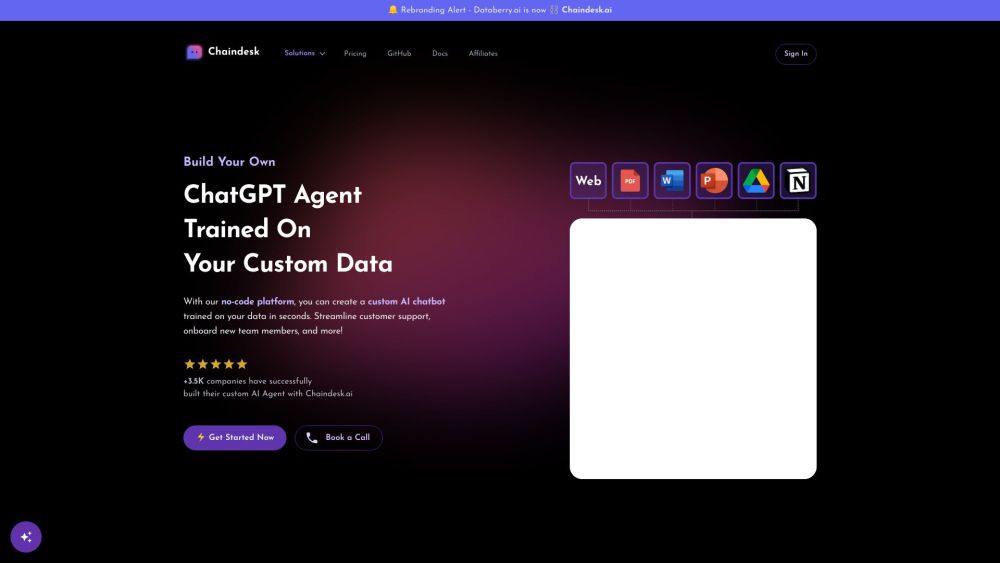
Chaindesk website preview

Chaindesk Website screenshot

Understanding Chaindesk

Chaindesk is an innovative no-code platform designed to help you build AI chatbots that are tailored to your specific data. It enhances customer support, streamlines onboarding processes, and optimizes team workflows.

Getting Started with Chaindesk

Using Chaindesk is straightforward. Begin by uploading your data, which can include documents or URLs for the system to scrape. The platform will then generate a personalized AI chatbot based on your data. This chatbot can be embedded on your website or integrated with platforms like Slack and WhatsApp. You can customize your chatbot's name, personality, and instructions for responding to queries.

Key Features of Chaindesk

Chaindesk's main features include: 1. Custom AI Chatbots: Quickly create chatbots tailored to your data. 2. Real-Time Answers: Get immediate responses to queries from your uploaded documents. 3. Documented Sources: Chatbot responses include references from your data. 4. Enhanced Support: Handle common questions and basic support tasks efficiently. 5. 24/7 Availability: Provide around-the-clock customer support. 6. Simple Integration: Easily add the chatbot to your website with a simple copy and paste. 7. No-Code Solution: Build and manage chatbots without any coding skills. 8. Data and API Integration: Develop chatbots that connect with your data and APIs for extensive functionality. 9. Versatile Integration: Connect the chatbot with services like Slack and WhatsApp. 10. Multilingual Support: Communicate in over 100 languages.

Applications of Chaindesk

Chaindesk can be utilized in various scenarios, such as: 1. Customer Support: Enhance support by addressing frequent queries and simple issues. 2. Employee Onboarding: Assist new hires by providing immediate answers and guidance. 3. Workflow Automation: Automate repetitive tasks and improve team efficiency. 4. Multilingual Communication: Support a global audience by offering multilingual assistance. 5. Data Extraction: Quickly extract and provide information from your uploaded documents. 6. Personalized Interaction: Allow your team to focus on more personalized customer interactions. 7. Multi-Platform Engagement: Connect with your audience through Slack, WhatsApp, and other platforms. 8. Language Learning: Use the chatbot for learning and practicing different languages.

Product source: Chaindesk official website. Check the provider for current plans, limits and availability.

FAQ

Chaindesk questions and answers

Product context and practical checks for evaluating Chaindesk.

What is Chaindesk used for?

Chaindesk: Build custom AI chatbots with no code. Enhance support, streamline onboarding, and simplify workflows with ease.

How do I get started with Chaindesk?

Using Chaindesk is straightforward. Begin by uploading your data, which can include documents or URLs for the system to scrape. The platform will then generate a personalized AI chatbot based on your data. This chatbot can be embedded on your website or integrated with platforms like Slack and WhatsApp. You can customize your chatbot's name, personality, and instructions for responding to queries.

Which capabilities are described for Chaindesk?

Chaindesk's main features include: 1. Custom AI Chatbots: Quickly create chatbots tailored to your data. 2. Real-Time Answers: Get immediate responses to queries from your uploaded documents. 3. Documented Sources: Chatbot responses include references from your data. 4. Enhanced Support: Handle common questions and basic support tasks efficiently. 5. 24/7 Availability: Provide around-the-clock customer support. 6. Simple Integration: Easily add the chatbot to your website with a simple copy and paste. 7. No-Code Solution: Build and manage chatbots without any coding skills. 8. Data and API Integration: Develop chatbots that connect with your data and APIs for extensive functionality. 9. Versatile Integration: Connect the chatbot with services like Slack and WhatsApp. 10. Multilingual Support: Communicate in over 100 languages.

What projects can I evaluate Chaindesk for?

Chaindesk can be utilized in various scenarios, such as: 1. Customer Support: Enhance support by addressing frequent queries and simple issues. 2. Employee Onboarding: Assist new hires by providing immediate answers and guidance. 3. Workflow Automation: Automate repetitive tasks and improve team efficiency. 4. Multilingual Communication: Support a global audience by offering multilingual assistance. 5. Data Extraction: Quickly extract and provide information from your uploaded documents. 6. Personalized Interaction: Allow your team to focus on more personalized customer interactions. 7. Multi-Platform Engagement: Connect with your audience through Slack, WhatsApp, and other platforms. 8. Language Learning: Use the chatbot for learning and practicing different languages. Chaindesk Discord Join the Chaindesk community on Discord: https://discord.gg/FSWKj49ckX. For more information, click here(/discord/fswkj49ckx). Chaindesk Company Company name: Chaindesk. Chaindesk Login Login here: https://app.chaindesk.ai/signin Chaindesk Sign Up Sign up here: https://app.chaindesk.ai/signin Chaindesk Pricing Check pricing details: https://www.chaindesk.ai/pricing Chaindesk LinkedIn Follow us on LinkedIn: https://www.linkedin.com/company/chaindesk Chaindesk Twitter Follow us on Twitter: https://twitter.com/@chaindesk_ai Chaindesk GitHub Explore our GitHub: https://github.com/gmpetrov/databerry

What should I compare before choosing a Chaindesk plan?

Check pricing details: https://www.chaindesk.ai/pricing Confirm current prices and allowances on the provider’s website before purchasing.

What inputs should I prepare for a Chaindesk trial?

Compare repository access, context limits, supported languages and tool permissions. Check whether the assistant can read relevant files and run your existing checks.

How can I check the quality of a Chaindesk result?

Review the diff, run tests and inspect error handling and dependency changes. Generated code should meet the same review standard as a human contribution.

Which export options should I check in Chaindesk?

Prefer changes you can inspect and keep in version control. Check whether code, tests and configuration can be exported without depending on a hosted preview.

What is a practical way to test Chaindesk against alternatives?

Choose a small reproducible bug with an existing failing check. Measure whether the tool fixes the cause, preserves behavior and produces a reviewable change.

Where is the official Chaindesk website?

The website linked from this profile is https://www.chaindesk.ai. Use the provider’s own documentation, account area and support channels to confirm current product details.

Visit Chaindesk