AI Email Assistant

BuzzLeads CRM

BuzzLeads is a small business CRM that helps sales and marketing teams drive more revenue by turning leads into sales. It provides an all-in-one platform to save time and money through automation and streamlined processes.

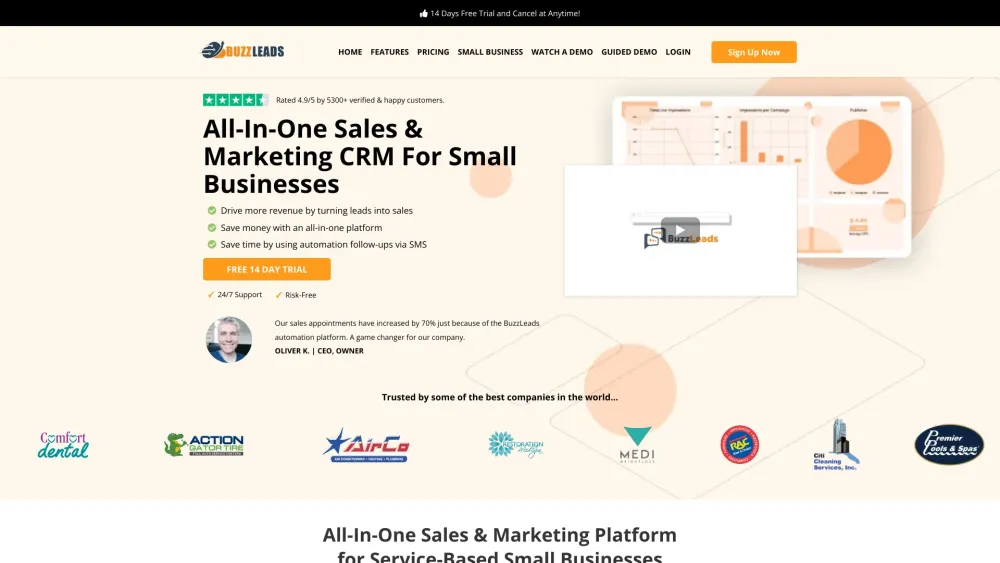
BuzzLeads CRM website preview

BuzzLeads Website screenshot

What is BuzzLeads?

BuzzLeads is a comprehensive CRM designed for small businesses, enabling sales and marketing teams to increase revenue by efficiently converting leads into sales. This platform offers a unified solution to streamline operations and reduce costs through automation.

How to use BuzzLeads?

To get started with BuzzLeads, sign up for the 14-day free trial and explore its features. Import your customer data and utilize the sales automation tools to advance deals. Configure automated, personalized messages for customer actions and follow-ups. Use the appointment setting system to manage and confirm appointments with prospects and clients.

BuzzLeads's Core Features

Sales CRM

Appointment Setting System

2-Way Text & Email Messaging

Reputation Management

Website Landing Pages

CRM Sales Pipeline Management

Website Messaging

Sales and Marketing Analytics

BuzzLeads's Use Cases

Boost sales appointments by 70% with BuzzLeads's automation

Efficiently manage customer data and sales pipelines

Enhance communication and reputation management

Develop engaging landing pages and funnels

Monitor sales and marketing performance with analytics

Product source: BuzzLeads CRM official website. Check the provider for current plans, limits and availability.

FAQ

BuzzLeads CRM questions and answers

Product context and practical checks for evaluating BuzzLeads CRM.

What is BuzzLeads CRM used for?

BuzzLeads is a small business CRM that helps sales and marketing teams drive more revenue by turning leads into sales. It provides an all-in-one platform to save time and money through automation and streamlined processes.

How do I get started with BuzzLeads CRM?

To get started with BuzzLeads, sign up for the 14-day free trial and explore its features. Import your customer data and utilize the sales automation tools to advance deals. Configure automated, personalized messages for customer actions and follow-ups. Use the appointment setting system to manage and confirm appointments with prospects and clients.

Which capabilities are described for BuzzLeads CRM?

Sales CRMAppointment Setting System2-Way Text & Email MessagingReputation ManagementWebsite Landing PagesCRM Sales Pipeline ManagementWebsite MessagingSales and Marketing Analytics

What projects can I evaluate BuzzLeads CRM for?

Boost sales appointments by 70% with BuzzLeads's automationEfficiently manage customer data and sales pipelinesEnhance communication and reputation managementDevelop engaging landing pages and funnelsMonitor sales and marketing performance with analytics BuzzLeads Support Email & Customer Service Contact & Refund Information For more contact details, visit the contact us page. BuzzLeads Company BuzzLeads is a leading CRM company. For more information, visit the about us page. BuzzLeads Login BuzzLeads Login Link: https://app.buzzleads.io/ BuzzLeads Sign up BuzzLeads Sign up Link: https://buzzleads.io/get-started-14daytrial BuzzLeads Pricing BuzzLeads Pricing Link: https://buzzleads.io/pricing BuzzLeads Facebook BuzzLeads Facebook Link: https://www.facebook.com/BUZZLEADS.io BuzzLeads Instagram BuzzLeads Instagram Link: https://www.instagram.com/buzzleads.io/

What should I compare before choosing a BuzzLeads CRM plan?

BuzzLeads Pricing Link: https://buzzleads.io/pricing Confirm current prices and allowances on the provider’s website before purchasing.

What inputs should I prepare for a BuzzLeads CRM trial?

Identify the files, text or account connections your task needs. Confirm that the product accepts those inputs and offers controls for reviewing its work.

How can I check the quality of a BuzzLeads CRM result?

Test one representative task and inspect the result for accuracy and completeness. Record where manual corrections or extra tools are needed.

Which export options should I check in BuzzLeads CRM?

Check export formats, integrations and whether you can keep using your work outside the service. Test a real export before committing to a longer plan.

What is a practical way to test BuzzLeads CRM against alternatives?

Choose one task with a clear success condition. Keep the input consistent, record the time spent reviewing and compare the complete workflow cost.

Where is the official BuzzLeads CRM website?

The website linked from this profile is https://www.promptdodo.com. Use the provider’s own documentation, account area and support channels to confirm current product details.

Visit BuzzLeads CRM