AI Grammar Checker

BulkCorrector

BulkCorrector: Effortlessly segment and correct text in bulk. Automate your workflow with precision, saving time and boosting productivity.

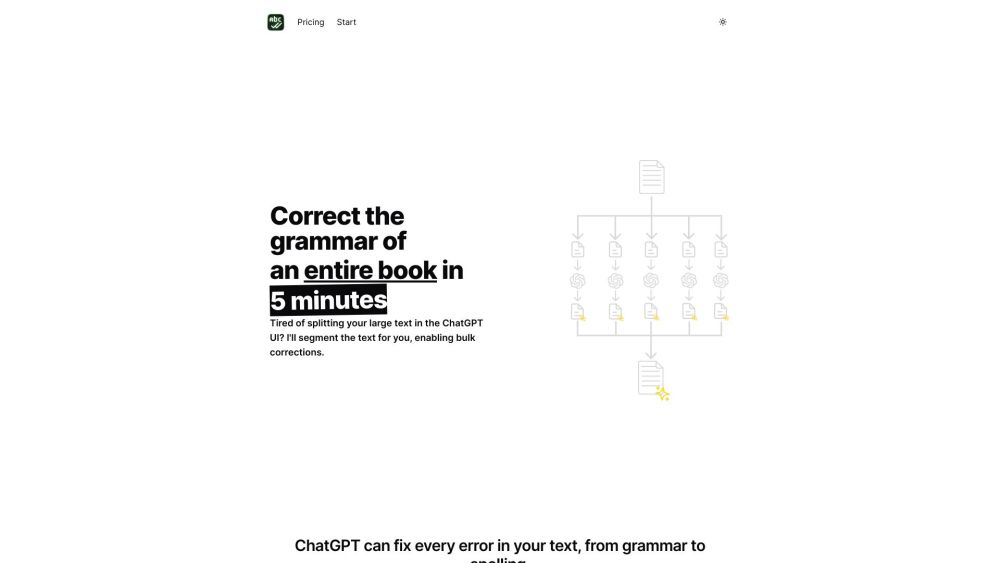
BulkCorrector website preview

BulkCorrector Website screenshot

What is BulkCorrector?

BulkCorrector is an innovative tool designed to simplify text segmentation and bulk editing. It efficiently breaks down large texts, identifies errors, and automatically corrects them, streamlining the editing process for long documents.

How to use BulkCorrector?

Using BulkCorrector is straightforward. Upload any large text file, and the tool will split the document into manageable parts while detecting errors. You can choose to review and adjust each section individually or apply broader corrections across the entire document. The final step involves reassembling the edited sections into a flawless version of your text.

BulkCorrector's Core Features

Advanced text segmentation

Efficient bulk correction for large files

Error detection with precision

Options for detailed or global corrections

Seamless merging of edited sections

BulkCorrector's Use Cases

Proofreading large-scale publications like books

Correcting academic papers and research articles

Editing texts before professional publishing

Refining legal documents for precision

Improving technical manuals and guides

Product source: BulkCorrector official website. Check the provider for current plans, limits and availability.

FAQ

BulkCorrector questions and answers

Product context and practical checks for evaluating BulkCorrector.

What is BulkCorrector used for?

BulkCorrector: Effortlessly segment and correct text in bulk. Automate your workflow with precision, saving time and boosting productivity.

How do I get started with BulkCorrector?

Using BulkCorrector is straightforward. Upload any large text file, and the tool will split the document into manageable parts while detecting errors. You can choose to review and adjust each section individually or apply broader corrections across the entire document. The final step involves reassembling the edited sections into a flawless version of your text.

Which capabilities are described for BulkCorrector?

Advanced text segmentationEfficient bulk correction for large filesError detection with precisionOptions for detailed or global correctionsSeamless merging of edited sections

What projects can I evaluate BulkCorrector for?

Proofreading large-scale publications like booksCorrecting academic papers and research articlesEditing texts before professional publishingRefining legal documents for precisionImproving technical manuals and guides BulkCorrector Pricing BulkCorrector Pricing Link: https://bulkcorrector.com/#pricing BulkCorrector Twitter BulkCorrector Twitter Link: https://x.com/melvynxdev

What should I compare before choosing a BulkCorrector plan?

BulkCorrector Pricing Link: https://bulkcorrector.com/#pricing Confirm current prices and allowances on the provider’s website before purchasing.

What inputs should I prepare for a BulkCorrector trial?

Compare support for source documents, style instructions, outlines and length limits. Check whether citations link to real material rather than merely looking like references.

How can I check the quality of a BulkCorrector result?

Verify names, dates, quotations and factual claims against the original sources. Edit tone, remove repetition and make sure the text answers the intended reader’s question.

Which export options should I check in BulkCorrector?

Check export to plain text, Markdown, documents or your publishing system. Formatting, headings and working links matter when moving a draft into production.

What is a practical way to test BulkCorrector against alternatives?

Use a real brief and a short source document. Compare factual accuracy, structure and editing time rather than accepting the longest or most confident draft.

Where is the official BulkCorrector website?

The website linked from this profile is https://bulkcorrector.com. Use the provider’s own documentation, account area and support channels to confirm current product details.

Visit BulkCorrector