AI Product Description Generator

BotDistrikt

BotDistrikt is a user experience-focused chatbot builder for startups and enterprises. It is a complete chatbot solution that allows businesses to design virtual personalities for their customers to engage with. With BotDistrikt, you can track clicks, impressions, funnels, and other data points to make conversations and convert. It also offers features like lead qualification, drip campaigns, and data-driven insights.

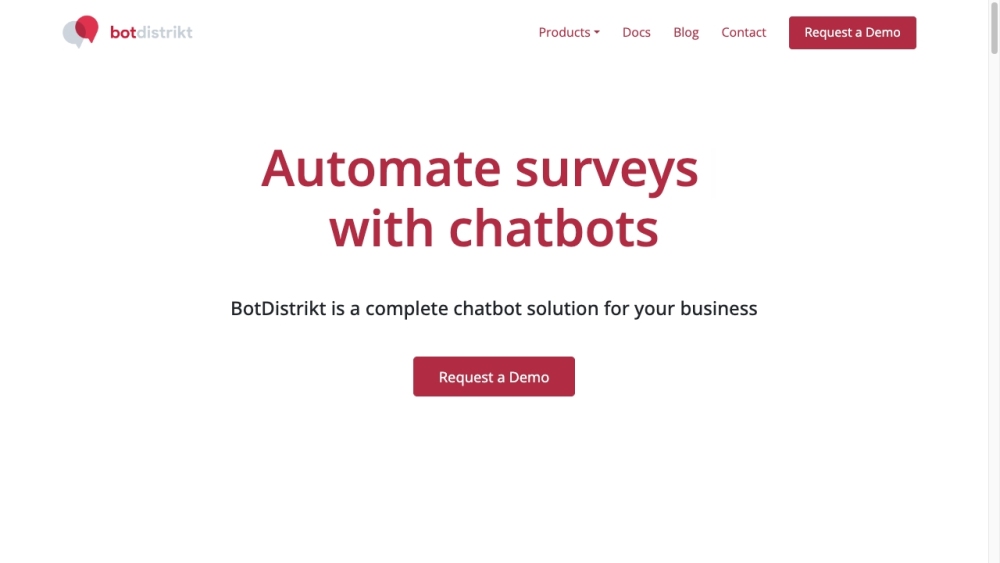
BotDistrikt website preview

BotDistrikt Website screenshot

What is BotDistrikt?

BotDistrikt is a user-friendly chatbot development platform designed for both startups and enterprises. It provides a comprehensive solution for creating virtual customer service agents, enabling businesses to deliver personalized interactions. With BotDistrikt, you can monitor metrics such as clicks, impressions, and conversion funnels to enhance customer engagement and boost conversions. The platform also includes features for lead scoring, automated drip campaigns, and data-driven analytics to help optimize chatbot performance.

How to use BotDistrikt?

To start using BotDistrikt, follow these steps: 1. Request a demo and begin your setup. 2. Create a virtual personality tailored for your target audience. 3. Establish rules and segments to filter and qualify leads. 4. Customize content delivery based on segmented customer data. 5. Use analytics to fine-tune conversations for better engagement. 6. Manage customer support volume and escalate complex cases to human agents. 7. Access and monitor conversations across multiple channels in a unified inbox. 8. Use logical conditions, regex, AI, and APIs to tailor your bot’s responses. 9. Integrate the bot with external systems via webhooks for seamless data exchange. 10. Utilize the bot’s memory to store and recall conversation topics. 11. Leverage AI and rules to create an effective and scalable chatbot. 12. Deploy your chatbot across any channel your business uses.

BotDistrikt's Core Features

User-friendly chatbot builder

No coding skills required

Create personalized virtual assistants

Monitor clicks, impressions, and conversion funnels

Lead qualification through rules and segmentation

Automated drip campaigns for targeted messaging

Actionable insights based on data

Support for non-linear conversation flows

24/7 automated customer interaction

Human handovers for complex inquiries

Omnichannel inbox for unified communication management

Advanced customization using logic, regex, and JavaScript

Webhook integration with external systems

Memory features for dynamic conversation handling

Hybrid AI and rule-based system for scalable chatbot training

BotDistrikt's Use Cases

Enhance inbound marketing efforts

Efficient customer support automation

Optimize lead qualification processes

Deliver personalized content at scale

Data-driven decision making

Manage ticket volume effectively

Centralized omnichannel communication

Seamless integration with existing business tools

Product source: BotDistrikt official website. Check the provider for current plans, limits and availability.

FAQ

BotDistrikt questions and answers

Product context and practical checks for evaluating BotDistrikt.

What is BotDistrikt used for?

BotDistrikt is a user experience-focused chatbot builder for startups and enterprises. It is a complete chatbot solution that allows businesses to design virtual personalities for their customers to engage with. With BotDistrikt, you can track clicks, impressions, funnels, and other data points to make conversations and convert. It also offers features like lead qualification, drip campaigns, and data-driven insights.

How do I get started with BotDistrikt?

To start using BotDistrikt, follow these steps: 1. Request a demo and begin your setup. 2. Create a virtual personality tailored for your target audience. 3. Establish rules and segments to filter and qualify leads. 4. Customize content delivery based on segmented customer data. 5. Use analytics to fine-tune conversations for better engagement. 6. Manage customer support volume and escalate complex cases to human agents. 7. Access and monitor conversations across multiple channels in a unified inbox. 8. Use logical conditions, regex, AI, and APIs to tailor your bot’s responses. 9. Integrate the bot with external systems via webhooks for seamless data exchange. 10. Utilize the bot’s memory to store and recall conversation topics. 11. Leverage AI and rules to create an effective and scalable chatbot. 12. Deploy your chatbot across any channel your business uses.

Which capabilities are described for BotDistrikt?

User-friendly chatbot builderNo coding skills requiredCreate personalized virtual assistantsMonitor clicks, impressions, and conversion funnelsLead qualification through rules and segmentationAutomated drip campaigns for targeted messagingActionable insights based on dataSupport for non-linear conversation flows24/7 automated customer interactionHuman handovers for complex inquiriesOmnichannel inbox for unified communication managementAdvanced customization using logic, regex, and JavaScriptWebhook integration with external systemsMemory features for dynamic conversation handlingHybrid AI and rule-based system for scalable chatbot training

What projects can I evaluate BotDistrikt for?

Enhance inbound marketing effortsEfficient customer support automationOptimize lead qualification processesDeliver personalized content at scaleData-driven decision makingManage ticket volume effectivelyCentralized omnichannel communicationSeamless integration with existing business tools BotDistrikt Support Email & Customer Service Contact For more information, visit the contact us page. BotDistrikt Company Information Company Name: BotDistrikt Address: 64D Kallang Pudding Road, #01-00, Singapore 349323 BotDistrikt Login Login Link: https://flow.botdistrikt.com BotDistrikt Social Media Facebook: https://fb.me/botdistrikt Instagram: https://www.instagram.com/botdistrikt/

What should I compare before choosing a BotDistrikt plan?

Check BotDistrikt’s current pricing page for included usage, renewal terms and any credit charges. Compare the cost of a usable result, including retries, rather than assuming that account registration includes free usage.

What inputs should I prepare for a BotDistrikt trial?

Look for text prompts, image references, masks or sketches as appropriate. Compare composition control, supported upload types and the ability to revise a selected area.

How can I check the quality of a BotDistrikt result?

Inspect text, hands, edges, reflections and repeated objects at full size. Check that important product or brand details survive editing.

Which export options should I check in BotDistrikt?

Compare pixel dimensions, transparency, file formats and any enlargement options. Confirm that the downloaded result works in your design or publishing software.

What is a practical way to test BotDistrikt against alternatives?

Prepare a brief with a subject, composition, lighting and required output size. Test a first generation and a targeted revision to see how much control you retain.

Where is the official BotDistrikt website?

The website linked from this profile is https://www.botdistrikt.com. Use the provider’s own documentation, account area and support channels to confirm current product details.

Visit BotDistrikt