AI Advertising Assistant

BIK

BIK: Marketing Automation Platform for Enhanced eCommerce ROI – Boost your eCommerce success with our all-in-one solution for superior ROI.

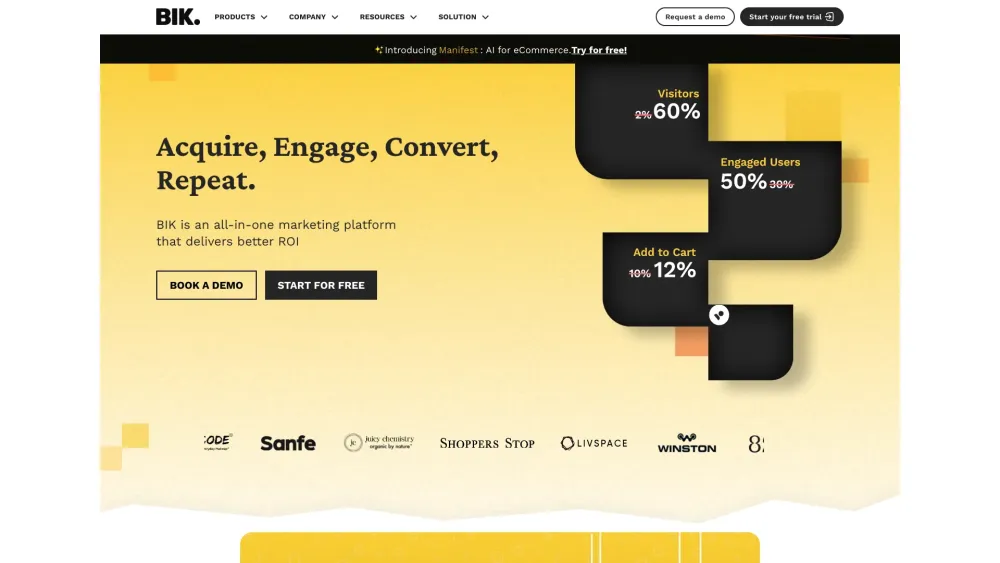
BIK website preview

BIK Website screenshot

What is BIK?

BIK is a comprehensive marketing automation platform designed to enhance ROI for eCommerce businesses.

How to use BIK?

1. Create an account on the BIK platform
2. Integrate your eCommerce store
3. Configure your marketing campaigns and automation workflows
4. Track and analyze performance metrics

BIK's Core Features

Enhanced Shopping Experience

Quality Customer Engagement

Verified Trust Signals

Recover Lost Sales with Abandoned Cart Recovery

Advanced Customer Segmentation

Customized Customer Journeys

BIK's Use Cases

Boost Instagram & Facebook Campaign Results by 5x

Increase Revenue Tenfold with Personalized Purchase Nudges

Automate Multi-Channel Customer Interactions to Expand Your Funnel

Design Smart Campaigns to Achieve 137x ROI

Product source: BIK official website. Check the provider for current plans, limits and availability.

FAQ

BIK questions and answers

Product context and practical checks for evaluating BIK.

What is BIK used for?

BIK: Marketing Automation Platform for Enhanced eCommerce ROI – Boost your eCommerce success with our all-in-one solution for superior ROI.

How do I get started with BIK?

1. Create an account on the BIK platform 2. Integrate your eCommerce store 3. Configure your marketing campaigns and automation workflows 4. Track and analyze performance metrics

Which capabilities are described for BIK?

Enhanced Shopping ExperienceQuality Customer EngagementVerified Trust SignalsRecover Lost Sales with Abandoned Cart RecoveryAdvanced Customer SegmentationCustomized Customer Journeys

What projects can I evaluate BIK for?

Boost Instagram & Facebook Campaign Results by 5xIncrease Revenue Tenfold with Personalized Purchase NudgesAutomate Multi-Channel Customer Interactions to Expand Your FunnelDesign Smart Campaigns to Achieve 137x ROI BIK Company Learn more about BIK at our about us page. BIK YouTube Watch our videos on the BIK YouTube channel. BIK LinkedIn Follow us on LinkedIn: BIK LinkedIn. BIK Twitter Stay updated via Twitter: BIK Twitter.

What should I compare before choosing a BIK plan?

Check BIK’s current pricing page for included usage, renewal terms and any credit charges. Compare the cost of a usable result, including retries, rather than assuming that account registration includes free usage.

What inputs should I prepare for a BIK trial?

Identify the files, text or account connections your task needs. Confirm that the product accepts those inputs and offers controls for reviewing its work.

How can I check the quality of a BIK result?

Test one representative task and inspect the result for accuracy and completeness. Record where manual corrections or extra tools are needed.

Which export options should I check in BIK?

Check export formats, integrations and whether you can keep using your work outside the service. Test a real export before committing to a longer plan.

What is a practical way to test BIK against alternatives?

Choose one task with a clear success condition. Keep the input consistent, record the time spent reviewing and compare the complete workflow cost.

Where is the official BIK website?

The website linked from this profile is https://www.promptdodo.com. Use the provider’s own documentation, account area and support channels to confirm current product details.

Visit BIK