AI YouTube Assistant

AutoClicker for YouTube Music

AutoClicker for YouTube Music auto-clicks "Yes" when music pauses, ensuring nonstop playback. Say goodbye to interruptions and enjoy continuous listening!

AutoClicker for YouTube Music website preview

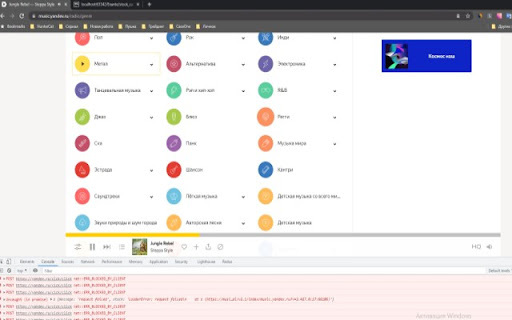
AutoClicker for YouTube Music - Chrome Extension Website screenshot

What is AutoClicker for YouTube Music Chrome Extension?

The AutoClicker for YouTube Music extension helps users avoid interruptions by automatically clicking the 'Yes' button when YouTube Music pauses due to inactivity.

How to Use AutoClicker for YouTube Music Chrome Extension?

To get started, simply install the extension, and it will handle the rest, ensuring your music plays continuously without manual intervention.

Key Features of AutoClicker for YouTube Music Extension

Automatic Resume

Automatically clicks the 'Yes' button whenever playback is paused, allowing for seamless music enjoyment.

Effortless Integration

Works directly with YouTube Music, blending into your user experience without any additional setup.

Use Cases for AutoClicker on YouTube Music

Avoid Disruptions During Long Sessions

Perfect for situations where you want to keep music playing without having to manually respond to playback pauses.

Product source: AutoClicker for YouTube Music official website. Check the provider for current plans, limits and availability.

FAQ

AutoClicker for YouTube Music questions and answers

Product context and practical checks for evaluating AutoClicker for YouTube Music.

What is AutoClicker for YouTube Music used for?

AutoClicker for YouTube Music auto-clicks "Yes" when music pauses, ensuring nonstop playback. Say goodbye to interruptions and enjoy continuous listening!

How do I get started with AutoClicker for YouTube Music?

To get started, simply install the extension, and it will handle the rest, ensuring your music plays continuously without manual intervention.

Which capabilities are described for AutoClicker for YouTube Music?

Automatic ResumeAutomatically clicks the 'Yes' button whenever playback is paused, allowing for seamless music enjoyment.Effortless IntegrationWorks directly with YouTube Music, blending into your user experience without any additional setup.

What projects can I evaluate AutoClicker for YouTube Music for?

Avoid Disruptions During Long SessionsPerfect for situations where you want to keep music playing without having to manually respond to playback pauses.

What should I compare before choosing a AutoClicker for YouTube Music plan?

Check AutoClicker for YouTube Music’s current pricing page for included usage, renewal terms and any credit charges. Compare the cost of a usable result, including retries, rather than assuming that account registration includes free usage.

What inputs should I prepare for a AutoClicker for YouTube Music trial?

Compare recording length, file types, language support and speaker handling. For voice generation, check pronunciation controls and permission to use any reference voice.

How can I check the quality of a AutoClicker for YouTube Music result?

Listen for mispronounced names, unnatural pauses, clipped words and noise. For transcripts, compare the text with the recording and correct speaker labels.

Which export options should I check in AutoClicker for YouTube Music?

Check audio format, sample rate, separate tracks, captions and timestamp exports. Confirm that the result works in your editing or accessibility workflow.

What is a practical way to test AutoClicker for YouTube Music against alternatives?

Use a short recording with names, numbers and more than one speaker, or a script with difficult pronunciation. Review the exported audio or transcript in full.

Where is the official AutoClicker for YouTube Music website?

The website linked from this profile is https://chromewebstore.google.com/detail/yes-clicker-for-youtube-m/ldbafcnebpebbhppdcpfnckeidbmnpfl. Use the provider’s own documentation, account area and support channels to confirm current product details.

Visit AutoClicker for YouTube Music