AI Knowledge Base

Atlas

Atlas: Intelligent Knowledge Base for Team Sync & Developer Tools. Keep your team in-sync with up-to-date tech knowledge and collaboration. Loved by developers.

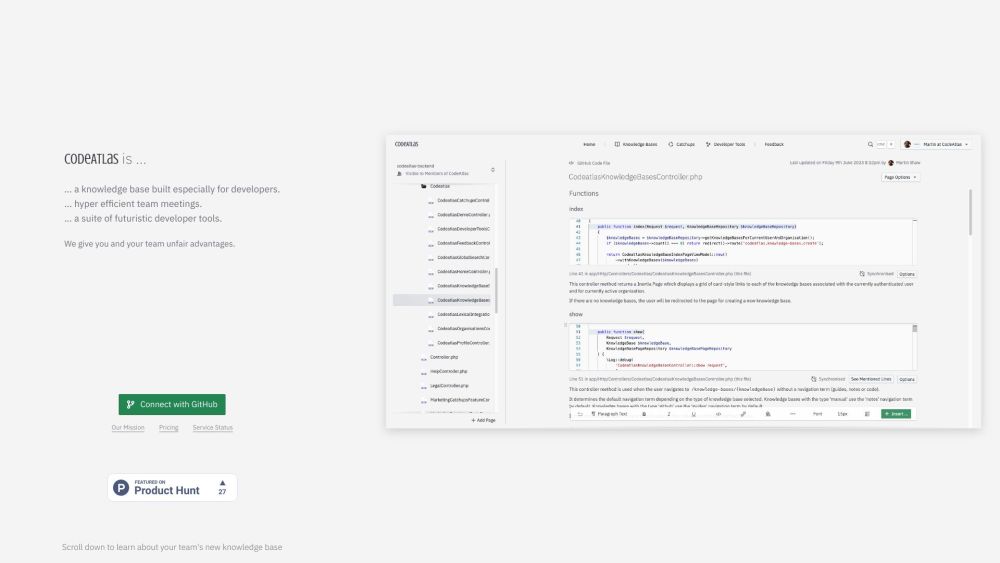
Atlas website preview

Atlas Website screenshot

What is Atlas?

Atlas is an advanced knowledge management system designed to ensure that technical information is always current and that your team remains synchronized. It provides a suite of developer tools that are highly appreciated by the developer community, fostering efficient collaboration among team members.

How to use Atlas?

Using Atlas is straightforward: integrate it with your existing codebase and invite your team members. You can create and organize articles with technical knowledge, documentation, and best practices. Atlas automatically extracts relevant information from your codebase and updates the knowledge base to keep it current. Team members can search for information, contribute to articles, and stay informed about the latest updates.

Atlas's Core Features

Intelligent knowledge base for technical content

Seamless codebase integration for automatic updates

Structured article creation and organization

Robust search functionality for quick information retrieval

Collaboration tools for contributions and discussions

Team synchronization through regular Catch-Ups

Atlas's Use Cases

Documenting coding standards and conventions

Disseminating technical knowledge and solutions

Onboarding new developers

Managing shared knowledge across multiple projects

Improving team collaboration and communication

  • Atlas Company

    Atlas Company name: CodeAtlas.

Product source: Atlas official website. Check the provider for current plans, limits and availability.

FAQ

Atlas questions and answers

Product context and practical checks for evaluating Atlas.

What is Atlas used for?

Atlas: Intelligent Knowledge Base for Team Sync & Developer Tools. Keep your team in-sync with up-to-date tech knowledge and collaboration. Loved by developers.

How do I get started with Atlas?

Using Atlas is straightforward: integrate it with your existing codebase and invite your team members. You can create and organize articles with technical knowledge, documentation, and best practices. Atlas automatically extracts relevant information from your codebase and updates the knowledge base to keep it current. Team members can search for information, contribute to articles, and stay informed about the latest updates.

Which capabilities are described for Atlas?

Intelligent knowledge base for technical contentSeamless codebase integration for automatic updatesStructured article creation and organizationRobust search functionality for quick information retrievalCollaboration tools for contributions and discussionsTeam synchronization through regular Catch-Ups

What projects can I evaluate Atlas for?

Documenting coding standards and conventionsDisseminating technical knowledge and solutionsOnboarding new developersManaging shared knowledge across multiple projectsImproving team collaboration and communication Atlas Company Atlas Company name: CodeAtlas.

What should I compare before choosing a Atlas plan?

Check Atlas’s current pricing page for included usage, renewal terms and any credit charges. Compare the cost of a usable result, including retries, rather than assuming that account registration includes free usage.

What inputs should I prepare for a Atlas trial?

Compare repository access, context limits, supported languages and tool permissions. Check whether the assistant can read relevant files and run your existing checks.

How can I check the quality of a Atlas result?

Review the diff, run tests and inspect error handling and dependency changes. Generated code should meet the same review standard as a human contribution.

Which export options should I check in Atlas?

Prefer changes you can inspect and keep in version control. Check whether code, tests and configuration can be exported without depending on a hosted preview.

What is a practical way to test Atlas against alternatives?

Choose a small reproducible bug with an existing failing check. Measure whether the tool fixes the cause, preserves behavior and produces a reviewable change.

Where is the official Atlas website?

The website linked from this profile is https://www.promptdodo.com. Use the provider’s own documentation, account area and support channels to confirm current product details.

Visit Atlas