AI Customer Service Assistant

Apps 365

AI-driven business and HR solutions integrated with Microsoft 365.

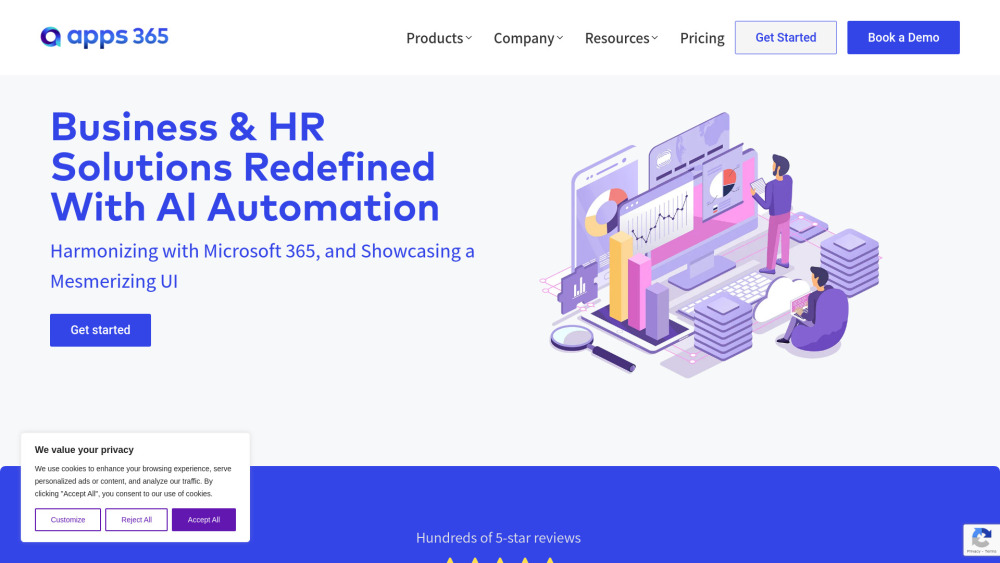
Apps 365 website preview

Apps 365 Website screenshot

What is Apps 365?

Apps 365 is a comprehensive software platform that delivers AI-powered solutions for business and HR needs, fully integrated into the Microsoft 365 environment. It includes a suite of apps designed to simplify tasks such as employee onboarding, timesheet management, and contract oversight.

How to use Apps 365?

Using Apps 365 is straightforward. Select from its diverse app offerings, connect them with your Microsoft 365 account, and optimize workflows for HR and business processes in just a few steps.

Key Features of Apps 365

Seamless integration with Microsoft 365

AI-enhanced insights for business improvements

Intuitive tools for HR and business operations

Use Cases for Apps 365

Improve employee onboarding efficiency

Streamline HR tasks with HR365

Enhance helpdesk performance with Helpdesk 365

Product source: Apps 365 official website. Check the provider for current plans, limits and availability.

FAQ

Apps 365 questions and answers

Product context and practical checks for evaluating Apps 365.

What is Apps 365 used for?

AI-driven business and HR solutions integrated with Microsoft 365.

How do I get started with Apps 365?

Using Apps 365 is straightforward. Select from its diverse app offerings, connect them with your Microsoft 365 account, and optimize workflows for HR and business processes in just a few steps.

Which capabilities are described for Apps 365?

Seamless integration with Microsoft 365AI-enhanced insights for business improvementsIntuitive tools for HR and business operations

What projects can I evaluate Apps 365 for?

Improve employee onboarding efficiencyStreamline HR tasks with HR365Enhance helpdesk performance with Helpdesk 365 Apps 365 Support Email & Contact Information For support or customer service, visit the contact page. Apps 365 Company Information Company Name: Apps365 US Address: T24A, Trolley Sq, #4058, Wilmington, DE-19806, USA Canada Address: 325, Front St W, #300, Toronto, ON – M5V 2Y1, Canada India Address: 284/8, Garebhavi Palya, Hosur Rd, Bangalore-560068, India Learn more about the company on the About Us page. Apps 365 Pricing For pricing details, visit: Pricing Page. Apps 365 Social Media Links Follow Apps 365 on: Facebook: https://www.facebook.com/cubiclogics/ YouTube: https://youtube.com/@hr365?si=HFuJtDl0QmKWRj2D LinkedIn: https://www.linkedin.com/company/cubiclogics Twitter: https://twitter.com/HR365_HRMS Instagram: https://www.instagram.com/hr365.us/

What should I compare before choosing a Apps 365 plan?

For pricing details, visit: Pricing Page. Confirm current prices and allowances on the provider’s website before purchasing.

What inputs should I prepare for a Apps 365 trial?

Identify the files, text or account connections your task needs. Confirm that the product accepts those inputs and offers controls for reviewing its work.

How can I check the quality of a Apps 365 result?

Test one representative task and inspect the result for accuracy and completeness. Record where manual corrections or extra tools are needed.

Which export options should I check in Apps 365?

Check export formats, integrations and whether you can keep using your work outside the service. Test a real export before committing to a longer plan.

What is a practical way to test Apps 365 against alternatives?

Choose one task with a clear success condition. Keep the input consistent, record the time spent reviewing and compare the complete workflow cost.

Where is the official Apps 365 website?

The website linked from this profile is https://www.apps365.com. Use the provider’s own documentation, account area and support channels to confirm current product details.

Visit Apps 365