Large Language Models (LLMs)

AIlice

AIlice: The lightweight AI agent for effortless automation and smart assistance. Simplify tasks, boost productivity, and enjoy efficiency.

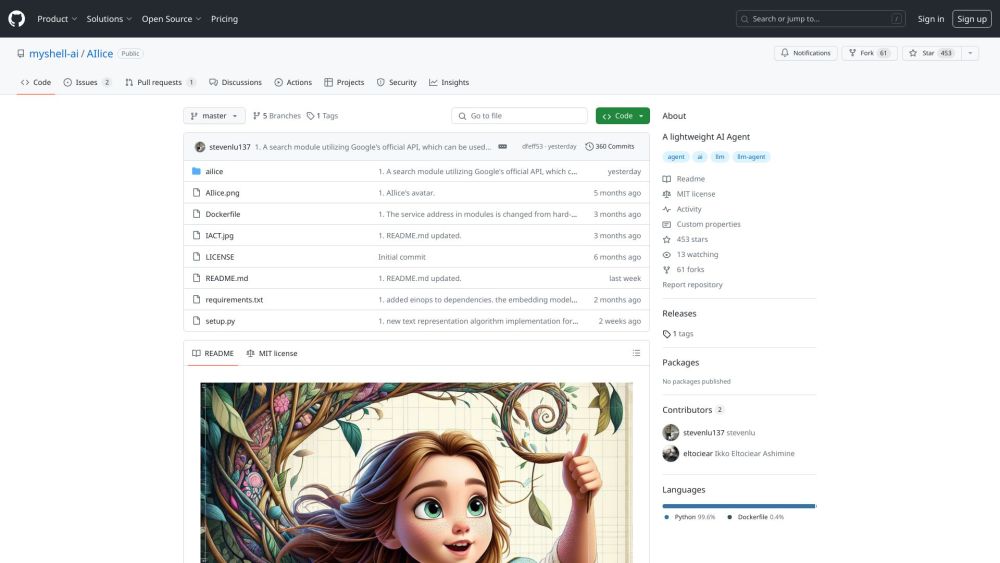
AIlice website preview

AIlice Website screenshot

Introducing AIlice

AIlice is a sleek and efficient AI agent, designed to streamline automation and provide smart assistance in diverse tasks.

Getting Started with AIlice

To get started with AIlice, simply follow the installation steps provided. Once installed, you can access AIlice through its intuitive web interface, where you can issue commands and manage tasks with ease.

Key Features of AIlice

Deep dive into specialized research

Capability to process and analyze complex articles and research papers

Automated execution of programming scripts and task workflows

Supports voice interactions for hands-free operation

Works with both open-source and proprietary AI models

Enables fluid conversation and task handling

Multi-modal model compatibility for enhanced AI support

AIlice: Practical Applications

Conduct in-depth research and analysis on niche topics

Run and automate code scripts effortlessly

Manage and monitor systems efficiently

Perform detailed literature reviews

Execute hybrid tasks combining multiple functionalities

Common Questions about AIlice

What is AIlice?

AIlice is a lightweight AI assistant designed to enhance automation and deliver smart assistance.

How do I use AIlice?

Install AIlice using the provided commands, then interact through its web interface to complete various tasks.

How can I install AIlice?

Clone the AIlice repository from GitHub and follow the installation instructions to set it up effortlessly.

Product source: AIlice official website. Check the provider for current plans, limits and availability.

FAQ

AIlice questions and answers

Product context and practical checks for evaluating AIlice.

What is AIlice used for?

AIlice: The lightweight AI agent for effortless automation and smart assistance. Simplify tasks, boost productivity, and enjoy efficiency.

How do I get started with AIlice?

To get started with AIlice, simply follow the installation steps provided. Once installed, you can access AIlice through its intuitive web interface, where you can issue commands and manage tasks with ease.

Which capabilities are described for AIlice?

Deep dive into specialized researchCapability to process and analyze complex articles and research papersAutomated execution of programming scripts and task workflowsSupports voice interactions for hands-free operationWorks with both open-source and proprietary AI modelsEnables fluid conversation and task handlingMulti-modal model compatibility for enhanced AI support

What projects can I evaluate AIlice for?

Conduct in-depth research and analysis on niche topicsRun and automate code scripts effortlesslyManage and monitor systems efficientlyPerform detailed literature reviewsExecute hybrid tasks combining multiple functionalities

What should I compare before choosing a AIlice plan?

Check AIlice’s current pricing page for included usage, renewal terms and any credit charges. Compare the cost of a usable result, including retries, rather than assuming that account registration includes free usage.

What inputs should I prepare for a AIlice trial?

Look for text prompts, image references, masks or sketches as appropriate. Compare composition control, supported upload types and the ability to revise a selected area.

How can I check the quality of a AIlice result?

Inspect text, hands, edges, reflections and repeated objects at full size. Check that important product or brand details survive editing.

Which export options should I check in AIlice?

Compare pixel dimensions, transparency, file formats and any enlargement options. Confirm that the downloaded result works in your design or publishing software.

What is a practical way to test AIlice against alternatives?

Prepare a brief with a subject, composition, lighting and required output size. Test a first generation and a targeted revision to see how much control you retain.

Where is the official AIlice website?

The website linked from this profile is https://github.com/myshell-ai/AIlice. Use the provider’s own documentation, account area and support channels to confirm current product details.

Visit AIlice