AI Advertising Assistant

AI-powered Profile For Slack

Elevate work culture and collaboration with AI-powered Profile for Slack. Discover use cases, pricing, reviews, core features, and alternatives today!

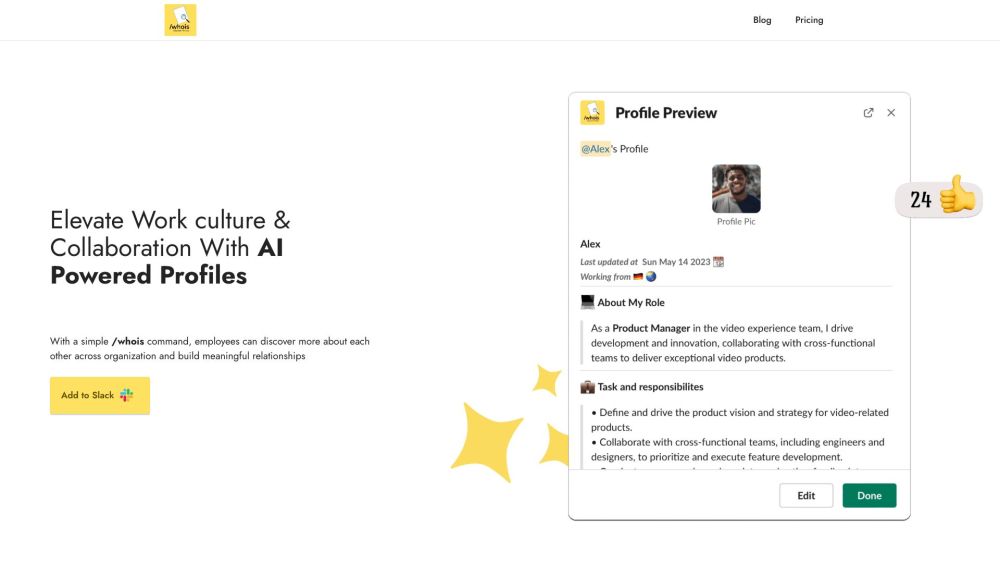
AI-powered Profile For Slack website preview

AI-powered Profile For Slack Website screenshot

What is AI-powered Profile For Slack?

Enhance Workplace Culture and Team Collaboration with AI-powered Profile For Slack

How to use AI-powered Profile For Slack?

Utilize the /whois command to learn about colleagues within your organization and foster stronger relationships. The /whois @[username] command provides access to detailed profiles, offering insights into professional and personal backgrounds. The user-friendly interface makes profile creation or updating simple, and colleagues can be encouraged anonymously to complete their profiles if they haven't already.

AI-powered Profile For Slack's Core Features

Organize virtual coffee meetings

Send recognition and celebrate milestones automatically

Simplify the onboarding process

Enhance teamwork and efficiency

Promote inclusivity

AI-powered Profile For Slack's Use Cases

Facilitating colleague connections through chats

Creating significant relationships

Encouraging knowledge sharing

Improving team dynamics

Promoting an inclusive work environment

Optimizing the onboarding experience

Personalizing coffee chat experiences

Supporting skill development and collaboration

  • AI-powered Profile For Slack Support Email & Customer Service Contact

    For customer service, contact AI-powered Profile For Slack at: [email protected].

  • AI-powered Profile For Slack Company

    For more information about AI-powered Profile For Slack, visit the About Us page.

  • AI-powered Profile For Slack Pricing

    Check out the pricing details here: https://orgengage.com/pricing.html

Product source: AI-powered Profile For Slack official website. Check the provider for current plans, limits and availability.

FAQ

AI-powered Profile For Slack questions and answers

Product context and practical checks for evaluating AI-powered Profile For Slack.

What is AI-powered Profile For Slack used for?

Elevate work culture and collaboration with AI-powered Profile for Slack. Discover use cases, pricing, reviews, core features, and alternatives today!

How do I get started with AI-powered Profile For Slack?

Utilize the /whois command to learn about colleagues within your organization and foster stronger relationships. The /whois @[username] command provides access to detailed profiles, offering insights into professional and personal backgrounds. The user-friendly interface makes profile creation or updating simple, and colleagues can be encouraged anonymously to complete their profiles if they haven't already.

Which capabilities are described for AI-powered Profile For Slack?

Organize virtual coffee meetingsSend recognition and celebrate milestones automaticallySimplify the onboarding processEnhance teamwork and efficiencyPromote inclusivity

What projects can I evaluate AI-powered Profile For Slack for?

Facilitating colleague connections through chatsCreating significant relationshipsEncouraging knowledge sharingImproving team dynamicsPromoting an inclusive work environmentOptimizing the onboarding experiencePersonalizing coffee chat experiencesSupporting skill development and collaboration AI-powered Profile For Slack Support Email & Customer Service Contact For customer service, contact AI-powered Profile For Slack at: [email protected]. AI-powered Profile For Slack Company For more information about AI-powered Profile For Slack, visit the About Us page. AI-powered Profile For Slack Pricing Check out the pricing details here: https://orgengage.com/pricing.html

What should I compare before choosing a AI-powered Profile For Slack plan?

Check out the pricing details here: https://orgengage.com/pricing.html Confirm current prices and allowances on the provider’s website before purchasing.

What inputs should I prepare for a AI-powered Profile For Slack trial?

Identify the files, text or account connections your task needs. Confirm that the product accepts those inputs and offers controls for reviewing its work.

How can I check the quality of a AI-powered Profile For Slack result?

Test one representative task and inspect the result for accuracy and completeness. Record where manual corrections or extra tools are needed.

Which export options should I check in AI-powered Profile For Slack?

Check export formats, integrations and whether you can keep using your work outside the service. Test a real export before committing to a longer plan.

What is a practical way to test AI-powered Profile For Slack against alternatives?

Choose one task with a clear success condition. Keep the input consistent, record the time spent reviewing and compare the complete workflow cost.

Where is the official AI-powered Profile For Slack website?

The website linked from this profile is https://www.promptdodo.com. Use the provider’s own documentation, account area and support channels to confirm current product details.

Visit AI-powered Profile For Slack