AI Advertising Assistant

AdNabu

Optimize your Shopify store's product feeds with AdNabu. Boost performance & sales across Google, Facebook, Instagram, and more with feed management.

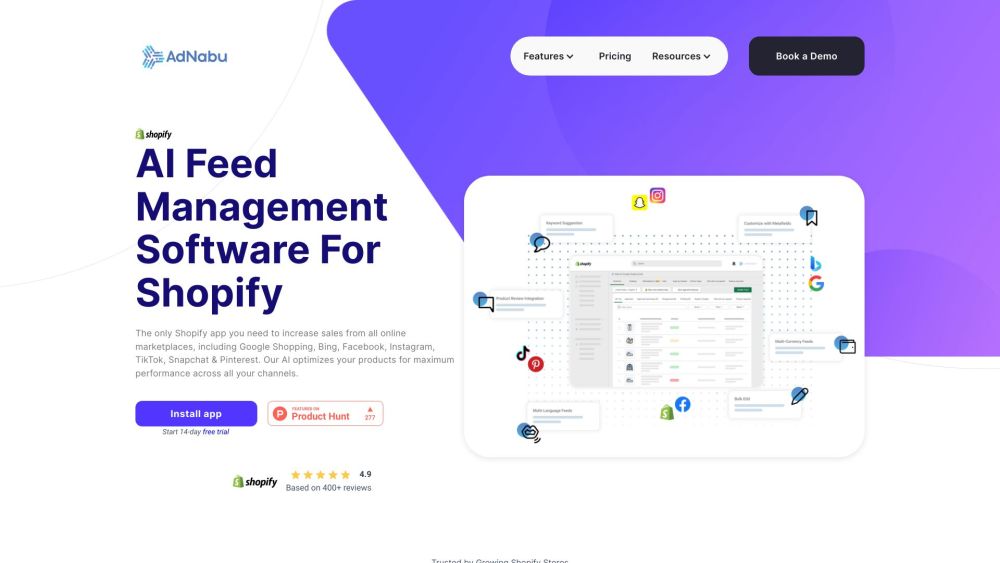
AdNabu website preview

AdNabu Website screenshot

What is AdNabu?

AdNabu is an advanced product feed management tool designed for Shopify and Shopify Plus users. It allows store owners to efficiently optimize and handle their product data feeds, boosting visibility and sales across multiple online platforms, including Google Shopping, Facebook, Instagram, Bing, TikTok, Snapchat, and Pinterest.

How to use AdNabu?

To get started with AdNabu, download the app from the Shopify App Store. You can take advantage of a 14-day free trial to test its features. Post-trial, select a plan that suits your requirements. AdNabu offers AI-powered suggestions to optimize product titles and descriptions, customization options using metafields, bulk editing capabilities, product review integration, and the ability to sell in multiple languages and currencies. Additionally, it connects you to a variety of marketplaces and social media platforms, expanding your reach. AdNabu provides extensive resources, including FAQs, blogs, and demo videos, to help you make the most of its features.

AdNabu's Core Features

AI Feed Optimization

Keyword Suggestions

Multi-Language Feeds

Customization with Metafields

Multi-Currency Feeds

Product Review Integration

Bulk Edit

Integration with Marketplaces (Google Shopping, Facebook, Instagram, TikTok, Snapchat, Pinterest)

AdNabu's Use Cases

Boosting Sales on Online Marketplaces

Optimizing Product Data Feeds for Better Performance

Extending Reach on Various Online Channels

Customizing Product Feeds with Extra Attributes

Enhancing Credibility with Product Review Integration

Selling in Multiple Languages and Currencies

  • AdNabu Support Email & Customer Service Contact

    For customer service, you can reach AdNabu support at: [email protected].

  • AdNabu Company Information

    Company Name: AdNabu Global, Inc.

    Address: 2035 Sunset Lake Rd Suite B-2, Newark, Delaware, 19702.

    Learn more about AdNabu on the about us page.

  • AdNabu Pricing

    Check out AdNabu's pricing plans here: https://www.adnabu.com/pricing.

  • AdNabu on Social Media

    Follow AdNabu on Facebook: AdNabu Facebook.

    Subscribe to AdNabu on YouTube: AdNabu YouTube.

    Connect with AdNabu on LinkedIn: AdNabu LinkedIn.

    Follow AdNabu on Twitter: AdNabu Twitter.

Product source: AdNabu official website. Check the provider for current plans, limits and availability.

FAQ

AdNabu questions and answers

Product context and practical checks for evaluating AdNabu.

What is AdNabu used for?

Optimize your Shopify store's product feeds with AdNabu. Boost performance & sales across Google, Facebook, Instagram, and more with feed management.

How do I get started with AdNabu?

To get started with AdNabu, download the app from the Shopify App Store. You can take advantage of a 14-day free trial to test its features. Post-trial, select a plan that suits your requirements. AdNabu offers AI-powered suggestions to optimize product titles and descriptions, customization options using metafields, bulk editing capabilities, product review integration, and the ability to sell in multiple languages and currencies. Additionally, it connects you to a variety of marketplaces and social media platforms, expanding your reach. AdNabu provides extensive resources, including FAQs, blogs, and demo videos, to help you make the most of its features.

Which capabilities are described for AdNabu?

AI Feed OptimizationKeyword SuggestionsMulti-Language FeedsCustomization with MetafieldsMulti-Currency FeedsProduct Review IntegrationBulk EditIntegration with Marketplaces (Google Shopping, Facebook, Instagram, TikTok, Snapchat, Pinterest)

What projects can I evaluate AdNabu for?

Boosting Sales on Online MarketplacesOptimizing Product Data Feeds for Better PerformanceExtending Reach on Various Online ChannelsCustomizing Product Feeds with Extra AttributesEnhancing Credibility with Product Review IntegrationSelling in Multiple Languages and Currencies AdNabu Support Email & Customer Service Contact For customer service, you can reach AdNabu support at: [email protected]. AdNabu Company Information Company Name: AdNabu Global, Inc. Address: 2035 Sunset Lake Rd Suite B-2, Newark, Delaware, 19702. Learn more about AdNabu on the about us page. AdNabu Pricing Check out AdNabu's pricing plans here: https://www.adnabu.com/pricing. AdNabu on Social Media Follow AdNabu on Facebook: AdNabu Facebook. Subscribe to AdNabu on YouTube: AdNabu YouTube. Connect with AdNabu on LinkedIn: AdNabu LinkedIn. Follow AdNabu on Twitter: AdNabu Twitter.

What should I compare before choosing a AdNabu plan?

Check out AdNabu's pricing plans here: https://www.adnabu.com/pricing. Confirm current prices and allowances on the provider’s website before purchasing.

What inputs should I prepare for a AdNabu trial?

Identify the files, text or account connections your task needs. Confirm that the product accepts those inputs and offers controls for reviewing its work.

How can I check the quality of a AdNabu result?

Test one representative task and inspect the result for accuracy and completeness. Record where manual corrections or extra tools are needed.

Which export options should I check in AdNabu?

Check export formats, integrations and whether you can keep using your work outside the service. Test a real export before committing to a longer plan.

What is a practical way to test AdNabu against alternatives?

Choose one task with a clear success condition. Keep the input consistent, record the time spent reviewing and compare the complete workflow cost.

Where is the official AdNabu website?

The website linked from this profile is . Use the provider’s own documentation, account area and support channels to confirm current product details.