AI Advertising Assistant

Admaker by Picsart

Admaker is an AI-driven ad creation tool developed by Picsart. It simplifies the process of creating image ads for social media platforms by generating AI-generated images, backgrounds, and text. With Admaker, small businesses can efficiently create visually appealing and compelling ads without the need for professional design skills.

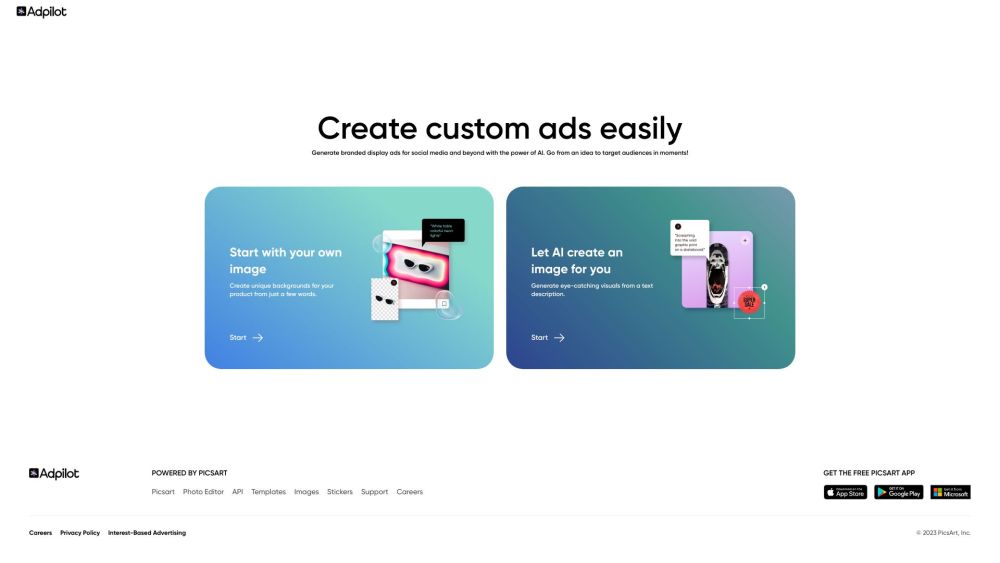
Admaker by Picsart website preview

Admaker by Picsart Website screenshot

What is Admaker by Picsart?

Admaker by Picsart is an AI-powered tool designed to make the process of creating image ads for social media incredibly simple. It leverages advanced artificial intelligence to generate images, backgrounds, and compelling text for various advertising needs. This tool enables small businesses to create professional-looking ads without needing extensive design knowledge or skills.

How to Use Admaker by Picsart?

To get started with Admaker, follow these steps: 1. Upload or Generate an Image: Use your own product image or let AI create a new one based on a description. 2. Select a Background: Choose from a variety of AI-generated backgrounds to enhance your ad’s visual appeal. 3. Craft the Copy: Use your own custom text or let the AI suggest creative copy options that fit your brand message. 4. Finalize and Download: Preview your ad in different formats, make any edits, and download the final version in the correct size for your platform of choice.

Key Features of Admaker by Picsart

Admaker offers a wide range of features, including: 1. Unified Platform: Create ads in one place without switching between tools. 2. Speed: Create high-quality ads with images and copy in under a minute. 3. Platform Flexibility: Adapt your ads for various social media platforms. 4. Time Efficiency: Quickly generate multiple ad variations without hassle. 5. Customization: Tailor every detail to match your brand, avoiding repetitive templates. 6. Mobile Preview: Ensure ads are perfectly optimized for mobile devices.

Common Uses for Admaker by Picsart

Admaker is ideal for: 1. Digital Marketing: Quickly craft personalized ads that resonate with your target audience. 2. E-commerce: Test different ad variations to maximize your return on ad spend (ROAS). 3. Small Business: Save on the cost of photo shoots by using AI to generate images and backgrounds. 4. Influencers: Design captivating ads to promote products and services, boosting engagement and brand partnerships.

  • Admaker by Picsart Company

    Admaker is a product developed by Picsart, Inc.

    To learn more, visit Picsart's About Us page.

  • Admaker by Picsart Pricing

    For detailed pricing information, visit the official pricing page at this link.

Product source: Admaker by Picsart official website. Check the provider for current plans, limits and availability.

FAQ

Admaker by Picsart questions and answers

Product context and practical checks for evaluating Admaker by Picsart.

What is Admaker by Picsart used for?

Admaker is an AI-driven ad creation tool developed by Picsart. It simplifies the process of creating image ads for social media platforms by generating AI-generated images, backgrounds, and text. With Admaker, small businesses can efficiently create visually appealing and compelling ads without the need for professional design skills.

How do I get started with Admaker by Picsart?

To get started with Admaker, follow these steps: 1. Upload or Generate an Image: Use your own product image or let AI create a new one based on a description. 2. Select a Background: Choose from a variety of AI-generated backgrounds to enhance your ad’s visual appeal. 3. Craft the Copy: Use your own custom text or let the AI suggest creative copy options that fit your brand message. 4. Finalize and Download: Preview your ad in different formats, make any edits, and download the final version in the correct size for your platform of choice.

Which capabilities are described for Admaker by Picsart?

Admaker offers a wide range of features, including: 1. Unified Platform: Create ads in one place without switching between tools. 2. Speed: Create high-quality ads with images and copy in under a minute. 3. Platform Flexibility: Adapt your ads for various social media platforms. 4. Time Efficiency: Quickly generate multiple ad variations without hassle. 5. Customization: Tailor every detail to match your brand, avoiding repetitive templates. 6. Mobile Preview: Ensure ads are perfectly optimized for mobile devices.

What should I compare before choosing a Admaker by Picsart plan?

For detailed pricing information, visit the official pricing page at this link. Confirm current prices and allowances on the provider’s website before purchasing.

What inputs should I prepare for a Admaker by Picsart trial?

Look for text prompts, image references, masks or sketches as appropriate. Compare composition control, supported upload types and the ability to revise a selected area.

How can I check the quality of a Admaker by Picsart result?

Inspect text, hands, edges, reflections and repeated objects at full size. Check that important product or brand details survive editing.

Which export options should I check in Admaker by Picsart?

Compare pixel dimensions, transparency, file formats and any enlargement options. Confirm that the downloaded result works in your design or publishing software.

What is a practical way to test Admaker by Picsart against alternatives?

Prepare a brief with a subject, composition, lighting and required output size. Test a first generation and a targeted revision to see how much control you retain.

What should I review before uploading material to Admaker by Picsart?

Read the provider’s rules on access, retention, deletion and use of uploaded material. Start with a non-confidential sample that you have permission to use.

Where is the official Admaker by Picsart website?

The website linked from this profile is https://onlineadmaker.com. Use the provider’s own documentation, account area and support channels to confirm current product details.

Visit Admaker by Picsart