AI Image Recognition

ABC Finder

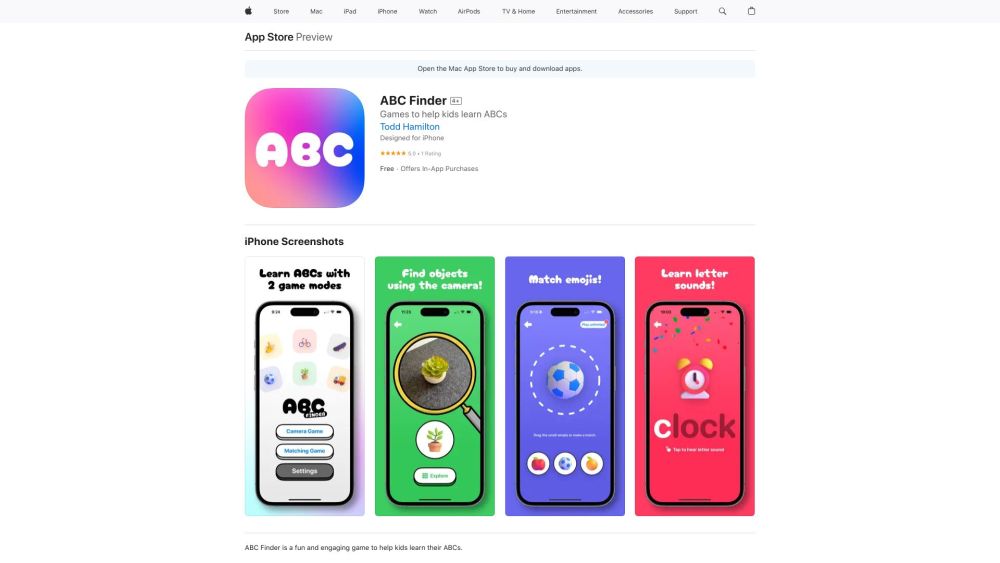
ABC Finder: A fun AI camera scavenger hunt that helps kids learn their ABCs while exploring and discovering new things!

ABC Finder website preview

ABC Finder Website screenshot

What is ABC Finder?

ABC Finder is an interactive AI-powered camera game designed for children learning their ABCs. It turns education into an exciting adventure, combining technology and play.

How to use ABC Finder?

To get started with ABC Finder, download it from the App Store and install it on your iPhone, iPad, or iPod touch. Once installed, you can choose between the camera game and the matching game. In the camera game, kids use their device’s camera to find real-world objects that match the letters of the alphabet, learning both their shapes and sounds. The matching game challenges children to pair objects with the correct letters. Both games are set to calming music and feature beautifully crafted puzzles to enhance the learning experience.

ABC Finder's Core Features

On-device object detection

Real-time AI image recognition

Letter and sound education

Visually appealing puzzles

ABC Finder's Use Cases

Assisting children in learning the alphabet

Creating an engaging scavenger hunt experience

Enhancing letter recognition and phonetic association

Product source: ABC Finder official website. Check the provider for current plans, limits and availability.

FAQ

ABC Finder questions and answers

Product context and practical checks for evaluating ABC Finder.

What is ABC Finder used for?

ABC Finder: A fun AI camera scavenger hunt that helps kids learn their ABCs while exploring and discovering new things!

How do I get started with ABC Finder?

To get started with ABC Finder, download it from the App Store and install it on your iPhone, iPad, or iPod touch. Once installed, you can choose between the camera game and the matching game. In the camera game, kids use their device’s camera to find real-world objects that match the letters of the alphabet, learning both their shapes and sounds. The matching game challenges children to pair objects with the correct letters. Both games are set to calming music and feature beautifully crafted puzzles to enhance the learning experience.

Which capabilities are described for ABC Finder?

On-device object detectionReal-time AI image recognitionLetter and sound educationVisually appealing puzzles

What projects can I evaluate ABC Finder for?

Assisting children in learning the alphabetCreating an engaging scavenger hunt experienceEnhancing letter recognition and phonetic association

What should I compare before choosing a ABC Finder plan?

Check ABC Finder’s current pricing page for included usage, renewal terms and any credit charges. Compare the cost of a usable result, including retries, rather than assuming that account registration includes free usage.

What inputs should I prepare for a ABC Finder trial?

Check supported documents, datasets and source access. Establish whether the product can inspect your actual material rather than answer from general knowledge.

How can I check the quality of a ABC Finder result?

Follow citations to the original source, recalculate important numbers and check the date and scope of the evidence. Distinguish an explanation from a verified result.

Which export options should I check in ABC Finder?

Look for usable citations, tables, downloadable data and reproducible steps. A clear answer should let another person inspect how the conclusion was reached.

What is a practical way to test ABC Finder against alternatives?

Choose a question with known sources and a checkable result. Compare citation accuracy, omissions and reproducibility rather than response length.

Where is the official ABC Finder website?

The website linked from this profile is https://apps.apple.com/us/app/abc-finder/id6472734646. Use the provider’s own documentation, account area and support channels to confirm current product details.

Visit ABC Finder