AI Advertising Assistant

7Lemon

Unleash your creativity with 7Lemon! Effortlessly design posters, flyers, logos, and more in one powerful, easy-to-use app. visuals made simple.

7Lemon website preview

7Lemon - Poster Maker & Flyer Creator & Graphic Design Website Screenshot

What is 7Lemon - Your Go-To Tool for Posters, Flyers, Logos & More?

7Lemon is an all-in-one design platform tailored to meet your creative needs, offering everything from poster creation to logo design. Whether you're working on promotional materials, invitations, or branding assets, 7Lemon makes it simple with its user-friendly interface and a comprehensive suite of tools. This app empowers users to bring their creative ideas to life effortlessly, using features like text art, photo editing, and other graphic design capabilities to produce visually striking content.

How to Get Started with 7Lemon - The Versatile Design App?

To begin using 7Lemon, download and install the app on your preferred device. Once set up, open the app and select the type of design you wish to create, such as a poster, flyer, or logo. Utilize the diverse tools available within 7Lemon, including text editing, image manipulation, resizing, and watermarking options, to craft a design that matches your vision. Customize elements such as layout, color schemes, and imagery to make your project unique. Once satisfied with your design, save and share it to effectively promote your brand, event, or message.

Key Features of 7Lemon - Your Ultimate Design Assistant

Poster Creation

Flyer Design

Comprehensive Graphic Design Tools

Advanced Photo Editor

Versatile Image Editing Tools

Innovative Text Art

User-Friendly Text Editor

Creative Photo Collage Maker

Professional Image Cutout

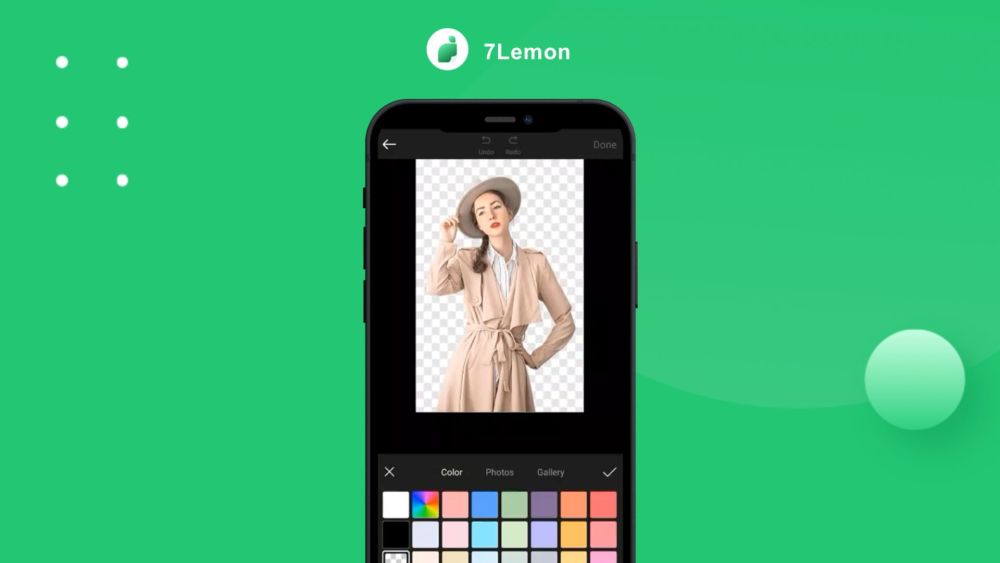
Background Removal

Object Eraser

Watermark Addition

Use Cases for 7Lemon - Perfect for Every Creative Need

Designing Promotional Posters

Creating Marketing Flyers

Developing Business Logos

Crafting Custom Invitations

Making Eye-Catching Photo Collages

Effortless Background and Object Removal

Adding Protective Watermarks

Product source: 7Lemon official website. Check the provider for current plans, limits and availability.

FAQ

7Lemon questions and answers

Product context and practical checks for evaluating 7Lemon.

What is 7Lemon used for?

Unleash your creativity with 7Lemon! Effortlessly design posters, flyers, logos, and more in one powerful, easy-to-use app. visuals made simple.

How do I get started with 7Lemon?

To begin using 7Lemon, download and install the app on your preferred device. Once set up, open the app and select the type of design you wish to create, such as a poster, flyer, or logo. Utilize the diverse tools available within 7Lemon, including text editing, image manipulation, resizing, and watermarking options, to craft a design that matches your vision. Customize elements such as layout, color schemes, and imagery to make your project unique. Once satisfied with your design, save and share it to effectively promote your brand, event, or message.

Which capabilities are described for 7Lemon?

Poster CreationFlyer DesignComprehensive Graphic Design ToolsAdvanced Photo EditorVersatile Image Editing ToolsInnovative Text ArtUser-Friendly Text EditorCreative Photo Collage MakerProfessional Image CutoutBackground RemovalObject EraserWatermark Addition

What projects can I evaluate 7Lemon for?

Designing Promotional PostersCreating Marketing FlyersDeveloping Business LogosCrafting Custom InvitationsMaking Eye-Catching Photo CollagesEffortless Background and Object RemovalAdding Protective Watermarks 7Lemon - Customer Support & Contact Information If you need assistance with 7Lemon, reach out to customer service via email: [email protected]. About 7Lemon - Poster Maker & Graphic Design Company 7Lemon is developed by Biku Network Technology Co., Ltd. Follow 7Lemon on Social Media Stay connected with 7Lemon on Facebook: https://www.facebook.com/photolab8 Check out 7Lemon's TikTok: https://www.tiktok.com/@photolab_postermaker Follow 7Lemon on Instagram: https://www.instagram.com/photolab_postermaker/

What should I compare before choosing a 7Lemon plan?

Check 7Lemon’s current pricing page for included usage, renewal terms and any credit charges. Compare the cost of a usable result, including retries, rather than assuming that account registration includes free usage.

What inputs should I prepare for a 7Lemon trial?

Look for text prompts, image references, masks or sketches as appropriate. Compare composition control, supported upload types and the ability to revise a selected area.

How can I check the quality of a 7Lemon result?

Inspect text, hands, edges, reflections and repeated objects at full size. Check that important product or brand details survive editing.

Which export options should I check in 7Lemon?

Compare pixel dimensions, transparency, file formats and any enlargement options. Confirm that the downloaded result works in your design or publishing software.

What is a practical way to test 7Lemon against alternatives?

Prepare a brief with a subject, composition, lighting and required output size. Test a first generation and a targeted revision to see how much control you retain.

Where is the official 7Lemon website?

The website linked from this profile is https://photolab.top. Use the provider’s own documentation, account area and support channels to confirm current product details.

Visit 7Lemon