AI Image Recognition

365id Scanner

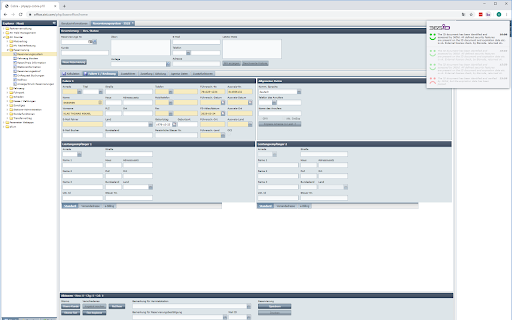
365id Scanner - Chrome Extension: Effortlessly auto-insert ID document info into Sixt Cobra, streamlining your workflow for faster and accurate data entry.

365id Scanner website preview

365id Scanner - Chrome Extension Website screenshot

What is the 365id Scanner Chrome Extension?

The 365id Scanner Chrome Extension offers seamless integration with the Sixt Cobra system, automating the process of inserting ID document details into the application.

How to use the 365id Scanner Chrome Extension?

To start using the 365id Scanner, simply link it to the Sixt Cobra platform. Once connected, scan ID documents and the extension will automatically insert the relevant information into the appropriate fields.

Core Features of the 365id Scanner Chrome Extension

Automatic ID Information Insertion

Real-time Browser Notifications for Verification

Key Use Cases for the 365id Scanner Chrome Extension

Effortlessly and accurately input ID information into Sixt Cobra, improving workflow efficiency.

Product source: 365id Scanner official website. Check the provider for current plans, limits and availability.

FAQ

365id Scanner questions and answers

Product context and practical checks for evaluating 365id Scanner.

What is 365id Scanner used for?

365id Scanner - Chrome Extension: Effortlessly auto-insert ID document info into Sixt Cobra, streamlining your workflow for faster and accurate data entry.

How do I get started with 365id Scanner?

To start using the 365id Scanner, simply link it to the Sixt Cobra platform. Once connected, scan ID documents and the extension will automatically insert the relevant information into the appropriate fields.

Which capabilities are described for 365id Scanner?

Automatic ID Information InsertionReal-time Browser Notifications for Verification

What projects can I evaluate 365id Scanner for?

Effortlessly and accurately input ID information into Sixt Cobra, improving workflow efficiency.

What should I compare before choosing a 365id Scanner plan?

Check 365id Scanner’s current pricing page for included usage, renewal terms and any credit charges. Compare the cost of a usable result, including retries, rather than assuming that account registration includes free usage.

What inputs should I prepare for a 365id Scanner trial?

Check supported documents, datasets and source access. Establish whether the product can inspect your actual material rather than answer from general knowledge.

How can I check the quality of a 365id Scanner result?

Follow citations to the original source, recalculate important numbers and check the date and scope of the evidence. Distinguish an explanation from a verified result.

Which export options should I check in 365id Scanner?

Look for usable citations, tables, downloadable data and reproducible steps. A clear answer should let another person inspect how the conclusion was reached.

What is a practical way to test 365id Scanner against alternatives?

Choose a question with known sources and a checkable result. Compare citation accuracy, omissions and reproducibility rather than response length.

Where is the official 365id Scanner website?

The website linked from this profile is https://chromewebstore.google.com/detail/365id-integration-sixt-co/ooceajjeifpjligonifhgdlplaopdhlb. Use the provider’s own documentation, account area and support channels to confirm current product details.

Visit 365id Scanner